After creating your new Tidio account, a 7-day trial period starts, during which you can test the features from our premium plans. Once the trial expires, you can continue using Tidio with the free, basic plan or upgrade to our paid plans.
In this article, you'll learn:
- What happens during the trial period
- Which paid features are available during the trial
- What happens when the trial expires
- Why we don't offer demos
The trial period
The trial period lasts 7 days, during which you can test out the paid features of our service without any commitment required, such as a credit card, etc. During the trial, you can also have unlimited billable conversations and reach an unlimited number of visitors with your flows - this is only available throughout the trial.
The remaining time of the trial will be shown in the upper-right of the Tidio panel, as the number of days left in your full-featured trial:

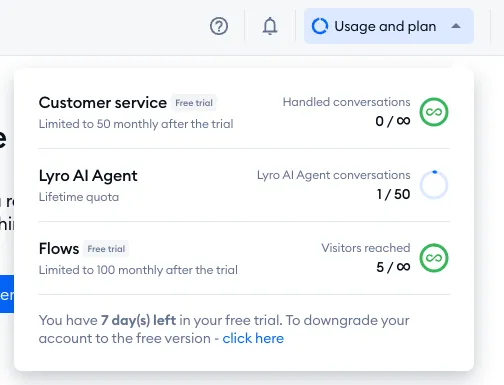
... and you can also see more details (i.e. track your current quotas for live chat, Lyro AI, and flows) after clicking on the Usage and plan icon in the top-right corner:
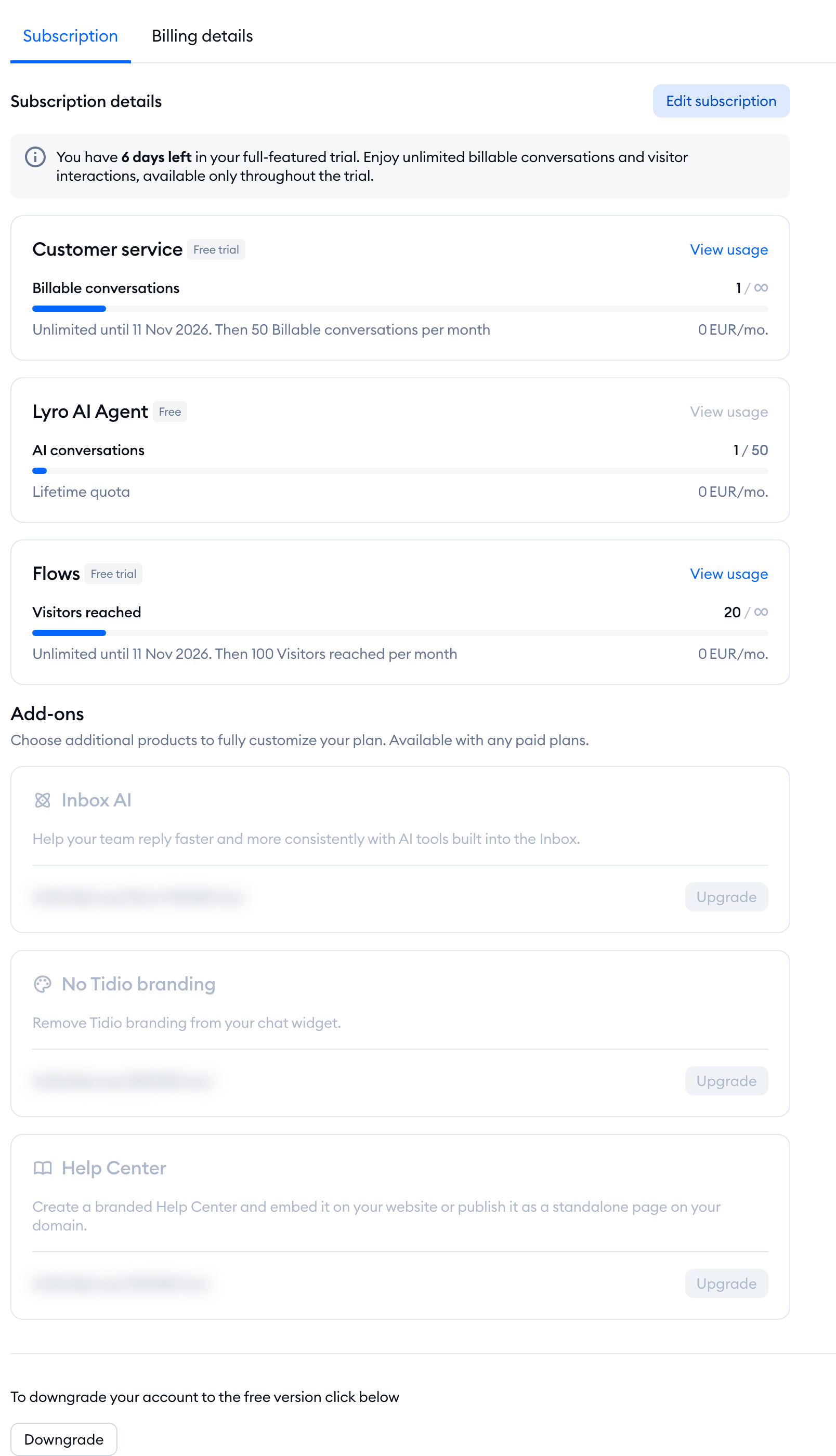
You can also find the number of days left in Settings > Project > Billing, on the Subscription tab:
Please note: separately from this trial, some accounts can get a 7-day free trial of a paid Lyro AI Agent plan when they set up product recommendations. You can read more about it in The 7-day trial of a paid Lyro plan.
Discovering the paid features
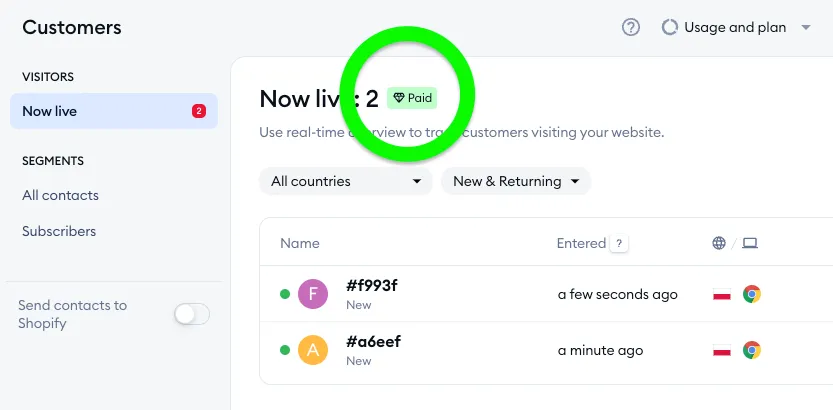
To make things clearer, paid features (which are only available when you subscribe to a specific package) are marked with a dedicated icon inside the Tidio panel:
This way, you will be familiar with how the free version is going to be different once your trial ends, and you will be able to decide which features are most valuable to you when it comes to upgrading. These tags are not only shown during your initial trial period, but also once you move onto the basic, free version of Tidio - making it easier to keep track of the paid features.
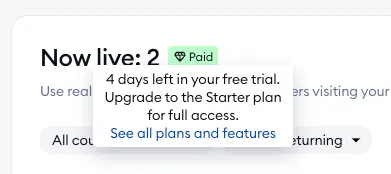
When you move your mouse cursor over the Paid icon, you will be informed about the package that includes this particular feature:
Apart from the above, our official Pricing page is always available to consult - it includes a list of all paid features, as well as short descriptions of each feature.
In addition to losing access to a number of paid features, your monthly usage limits become locked at a certain level (which can be changed by upgrading, of course):
The monthly flows quota is limited to 100 unique visitors reached by flows;
The monthly billable conversations quota is limited to 50 chats/tickets handled by agents;
The total number of active Lyro Actions is limited to 1 (your first Lyro Action is free);
The total number of active pieces of Lyro Guidance is limited to 5;
The Lyro AI Agent quota is 50 conversations - a lifetime quota that doesn't reset each month.
Below, please see a simplified list of all the paid features that are disabled once your free trial ends:
|
|
What happens when the trial expires?
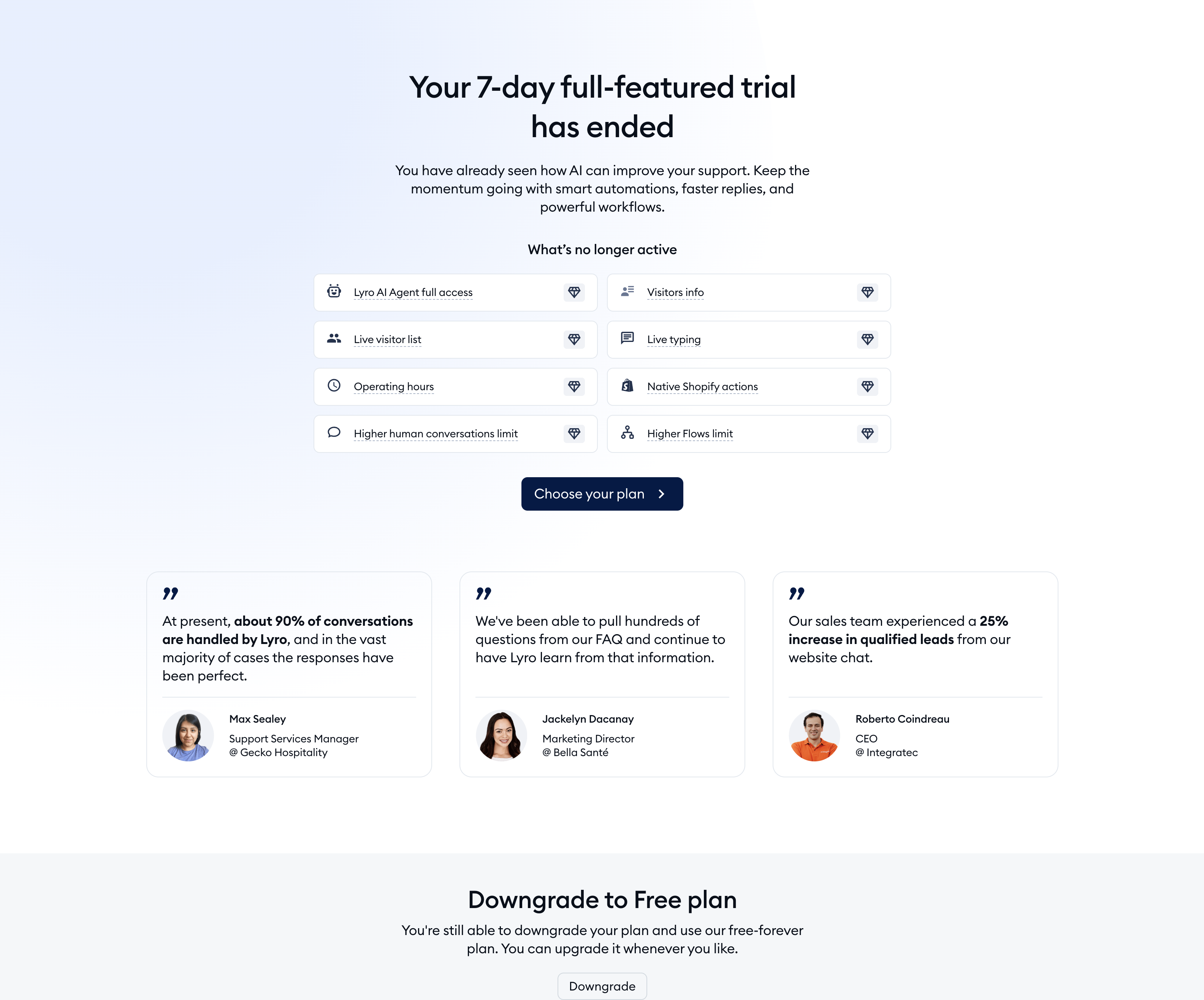
Once the trial expires, you'll see the Your 7-day full-featured trial has ended screen, with the list of paid features that are no longer active, and a choice to upgrade to our premium plans which you tested during the trial period, or downgrade to the free basic plan. The rest of the Tidio panel opens again once you've made your choice.
You can choose the paid plan by clicking on the Choose your plan button. To continue on the free plan, scroll down to Downgrade to Free plan, click on the Downgrade button, and confirm with Use Free plan. You can always upgrade anytime later!
Please note: only the project owner can choose a plan or the Free plan. If another agent tries, they'll see the message Sorry, you don't have permissions to choose the payment plan. Only the project owner (…) can do it., with the owner's email address.
If you feel that you need more time to explore the features of Tidio, please contact us at support@tidio.net.
If you want to skip the trial period, you can also end the trial period, immediately switching your account to the Free plan. To do that, hit the click here link in the Usage and plan popup, as shown above, or the Downgrade button in Settings > Project > Billing.
You can see more details about our paid plans and what they offer in our article about premium features.
Demo
At Tidio, we do not provide demos as we believe it does not show the real product behind them. Instead, we offer access to all the paid features for 7 days during the trial period.
If you would need some more time to test our system, send us a chat message or an email, and we will see what we can do!
