The live Visitors list, located in the Customers section in your Tidio panel, gives you the ability to track customers visiting your website. You can use that real-time overview to get to know them and learn what they're looking for on your website.
Please note: the full live Visitors list is available on the Starter plan and above (see Which upgrades do I need?). On the Free plan, you'll still see who's on your website right now, but only the first visitor's last visited page is shown (the rest are blurred), visitors' tags and the agents chatting with them are hidden, and clicking on a visitor opens the upgrade window. To unlock the full list, click on Upgrade your plan to see the full list of visitors below the list. The same rule applies to the Visitors list in the Tidio mobile app.
In this article, you'll learn:
- How to use the Visitors list
- How to filter the Visitors list
- How to start a chat pro-actively before a visitor contacts you
- Differences between the Tidio Visitors list and Google Analytics data
Visitors list overview
The Visitors list gives you an excellent overview of your potential customers. You can use the collected information to go beyond and contact them proactively to exceed their expectations and improve their satisfaction.
You can access the Visitors list when you open the Customers section; open the Now live tab to see the list:
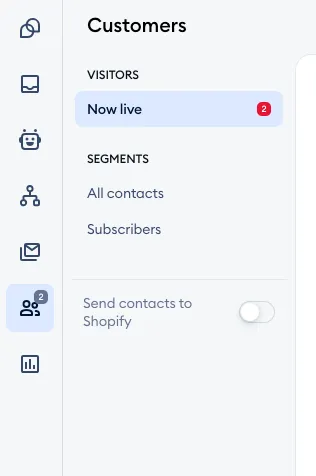
The Visitors list gives you the following data:
- The visitor's name (or email, if no name was collected specifically)
- The visitor's Last Visited Page on your website
- The visitor's Country
- The visitor's web browser and operating system
- When the visitor entered your website originally
- The visitor's tags, if any are available
- The agents who are already chatting with the visitor, if any
- Information on whether the customer is new or is returning to your website
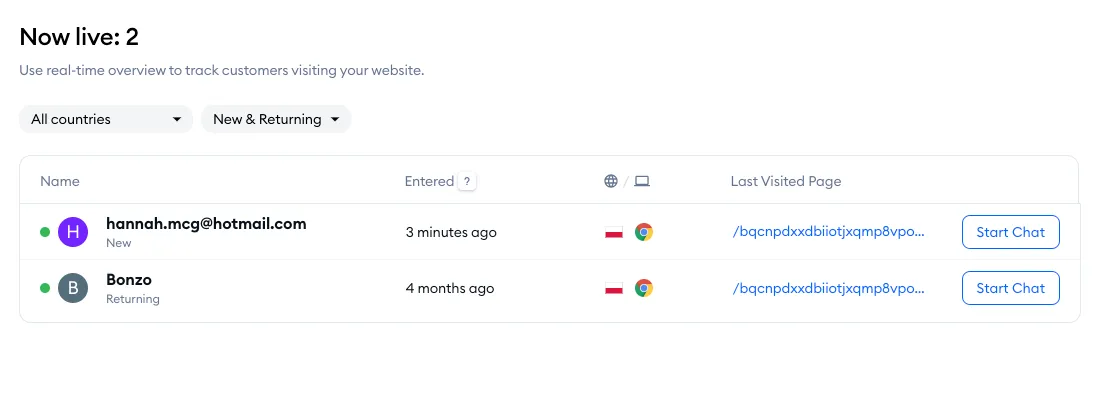
Start the chat pro-actively
To pro-actively contact your website visitors, click on the Start Chat button on the right, next to your visitor's details. You'll be transferred to the conversation panel, where you can start the chat.
If your widget is set to hide while no agents are online, and nobody is online at the moment, you'll see Your widget is hidden instead - a visitor can't receive your message while the widget is hidden. Click on Change settings to adjust your widget's visibility in Settings > Live Chat > Appearance first.
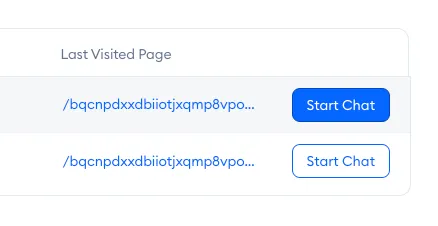
Your current chat will appear at the top of your conversation list when you start the conversation.
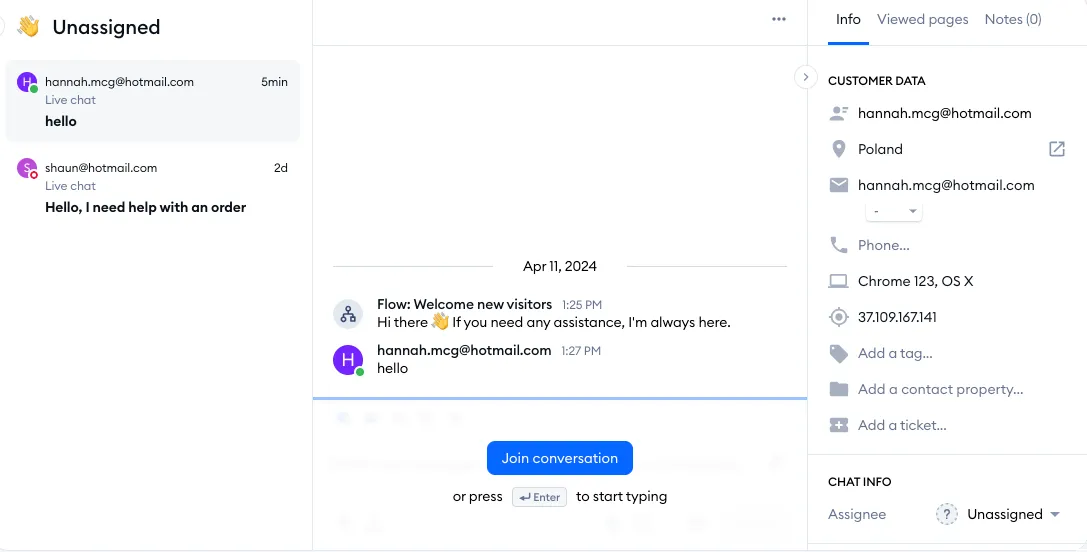
You'll have constant access to the customer data on the right in the chat conversation:
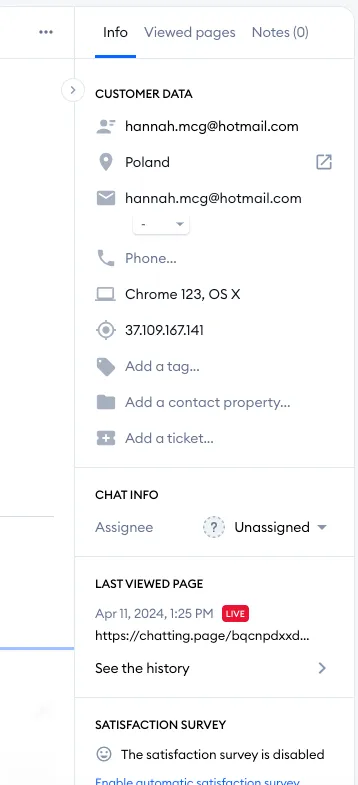
You can manually add their name, email address, phone number, or other details or set up a pre-chat survey to automate this process.
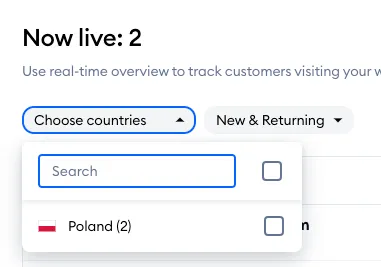
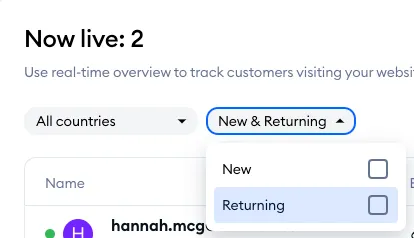
Filtering your Visitors list
If you want to limit your Visitors list to show only certain types of users, you can do that with the filtering options available at the top.
Tidio Visitors vs Google Analytics
Why does the visitor's list differ from what Google Analytics shows?
Tidio uses a different algorithm than Google Analytics. Our chat will show you the exact amount of visitors on your website while the chat is installed on your site. You can read more about it in our article about the differences between the Google Analytics algorithm and Tidio's algorithm.
Further reading
- Start collecting leads
- The number of Visitors at Tidio differs from Google Analytics
- Which upgrades do I need?
