Lyro, our conversational AI agent, is available to all Tidio users - including projects on the initial trial, as well as projects with no paid subscription. Similarly to live conversations and flows, there are some limitations on how Lyro works.
In this article, you will learn:
- How the free version of Lyro is limited
- How to check your Lyro usage
- How Lyro's conversations quota is calculated
- How Simple Actions (formerly Lyro Tasks) count
The free version of Lyro and its limitation
While all new Tidio projects receive access to Lyro for free, there is one important limitation: a non-renewable quota of 50 Lyro conversations. That means your Tidio project gets 50 lifetime Lyro conversations - during the 7-day trial and on the Free plan that follows it - and if you reach that limit, Lyro stops working, and the quota will not reset (as opposed to quotas for live chat and flows).
This is basically a form of free trial for you to test Lyro and see how it might help your business.
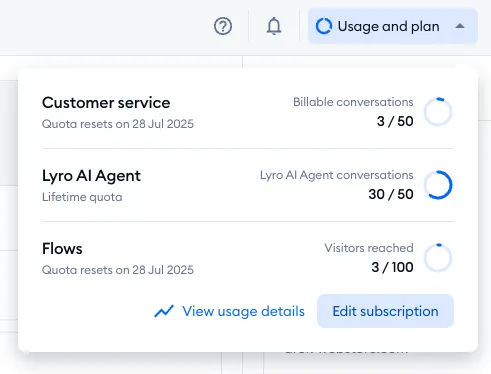
You can check your current quota usage by clicking on the Usage and plan button, in the top-right of your Tidio panel:
You can also see your current usage in the Dashboard section:
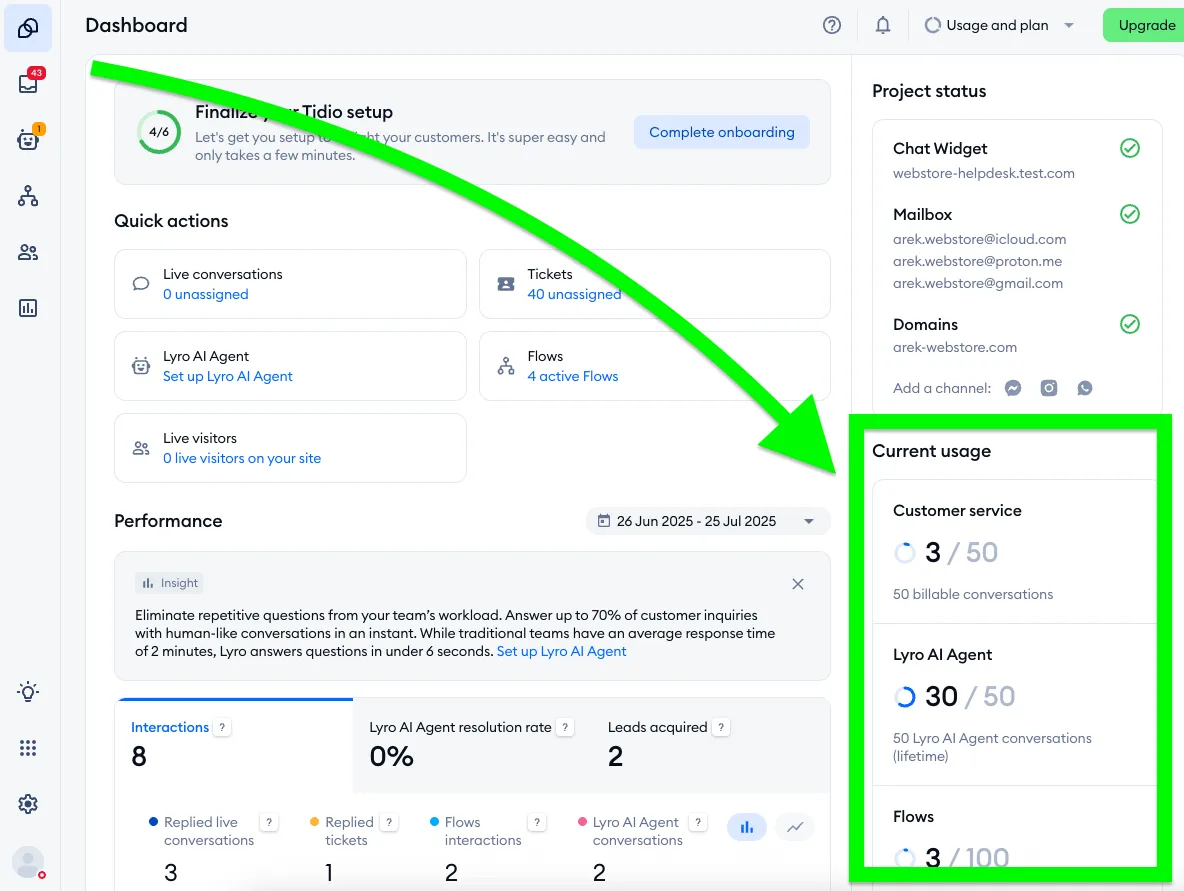
Of course, you can upgrade your Tidio project and get the Lyro AI Agent package, which will grant you a renewable monthly quota for Lyro. The available packages range from 50 conversations per month up to 1,000 conversations per month. More is also possible, but reserved for custom subscriptions (our Plus package) that need to be discussed with our Sales Team individually.
On a monthly subscription, you can also turn on Automatically upgrade the limit once it's reached - once you use 95% of your monthly Lyro limit, it's raised to the next tier, so Lyro keeps working. For details, please see Automatic upgrades.
Checking your Lyro usage in the Lyro AI Agent section
Once Lyro is active, you'll also find your usage right in the Lyro AI Agent section. Head over to Configure > General - the bar at the top shows how much of your limit you've used, for example 30 out of 50 Lyro conversations limit used.:
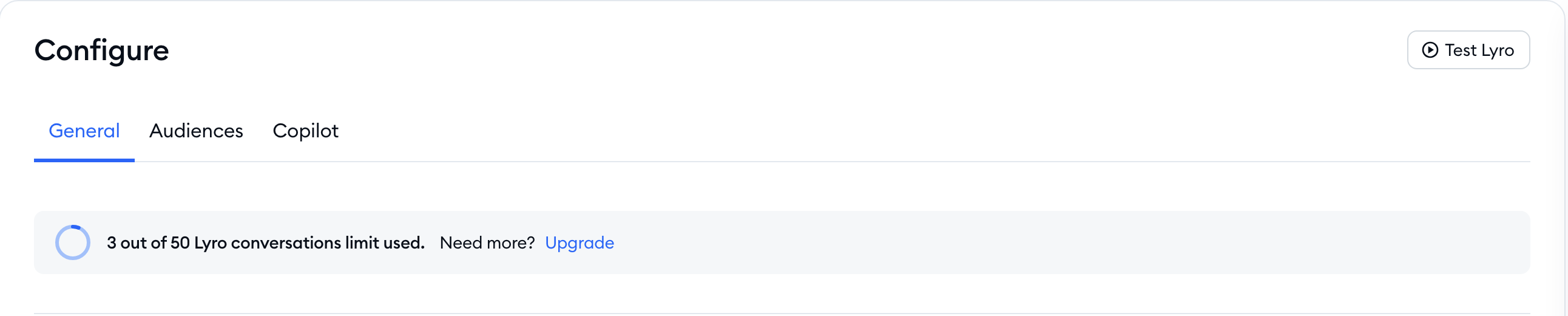
If you need more, click on Upgrade next to Need more? (if you don't manage billing, you'll see Ask your admin to upgrade. instead).
When you reach the limit, the bar turns red and says You’ve reached free limit., and an alert at the top of the Hub lets you know: Action needed: Lyro is not working. You’re over Lyro’s conversation limit., with an Upgrade link:

Please note: if your subscription counts Lyro resolutions instead of conversations, the same bar shows resolutions, for example 12 out of 100 Lyro resolutions used. A resolution is a live conversation or email that Lyro handled from start to finish, without your agents' help.
How is Lyro's conversation quota calculated?
In this context, a single Lyro use is essentially a single time Lyro responds for the first time in a new conversation thread or ticket thread. Lyro can respond multiple times within a single conversation, but we only count a newly started thread against your Lyro quota. In your plan details, a Lyro AI Agent conversation is described as a customer interaction that has at least one reply from Lyro.
As for email tickets: starting October 26, 2026, Lyro no longer answers only the first email of a ticket. When your customer writes back, Lyro answers the follow-up emails in the same thread, too. To learn how Lyro handles email threads, please see Lyro on email: answering whole email threads.
Please note that a thread closes after 15 minutes of inactivity; any new message from the visitor will start a brand new thread, and Lyro's new response will be counted against your quota once more.
In addition to the above, it is worth noting that nothing will be deducted from your Lyro quota if Lyro immediately performs handoff (e.g. transfers to a live agent).
Questions you ask Lyro while testing it in the Playground don't count toward your limit at all - please see Test Lyro before it goes live.
The free version offers a quota of 50, which basically translates to 50 conversation (or ticket) threads where Lyro responds. If you subscribe to a Lyro AI Agent package, your available quota resets each month (on the day you've originally purchased the upgrade).
How do Simple Actions (formerly Lyro Tasks) count?
Lyro Tasks are now called Simple Actions, a legacy tool that's still available to projects that already use it. They can prove useful if you want Lyro to respond in a very specific way that you design manually. Simple Actions are basically flows that you create from within Lyro's configuration, and they never interrupt Lyro's current conversation - they become a part of it.
To learn more about Simple Actions, including how they count toward your limits, please see Lyro Simple Actions (legacy).
Further reading
- Lyro - the conversational AI agent
- Lyro on email: answering whole email threads
- Test Lyro before it goes live
- Automatic upgrades
