At Tidio, we actively pay attention to the legal matters concerning chatbots to provide you with the most recent updates and legislation around the topic of Artificial Intelligence (AI). This article explains how to create GDPR-friendly flows and comply with the SB-1001 Bots: disclosure.
In this article, you'll learn:
- How to create GDPR-friendly flows
- What is the Bot Disclosure and Accountability Act, and how to obey it
GDPR-Friendly Flows
To make some of the workflows compliant with the GDPR laws in Europe, we suggest you add a step to your workflow to ask visitors and future leads for consent. Below, we describe how to do that.
A decision action helps us ask for consent. In the flow editor, you can choose from Decision (Quick Replies), Decision (Buttons) and Decision (Card Messages) - for example, ask "Do you agree to receive our newsletter?" with the answers "Yes, I agree" and "No, thanks":
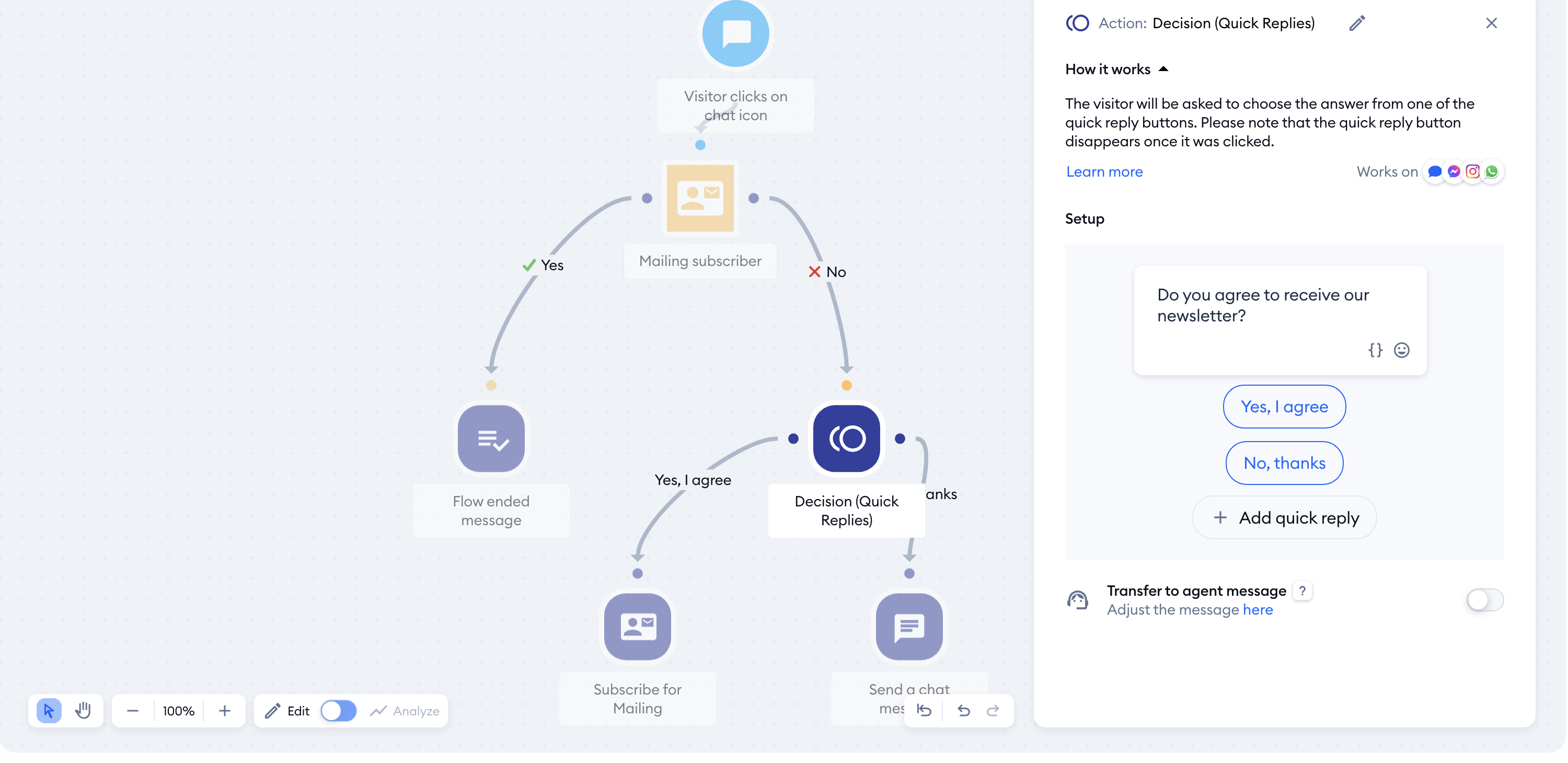
To remember the answer, connect the "Yes, I agree" reply to the Update contact property action, and save the visitor's consent in a contact property (for example, a "Newsletter consent" property set to "yes"). From there, we can use the Based on variable condition - pick the same contact property - to continue the workflow only when a user gives their consent.
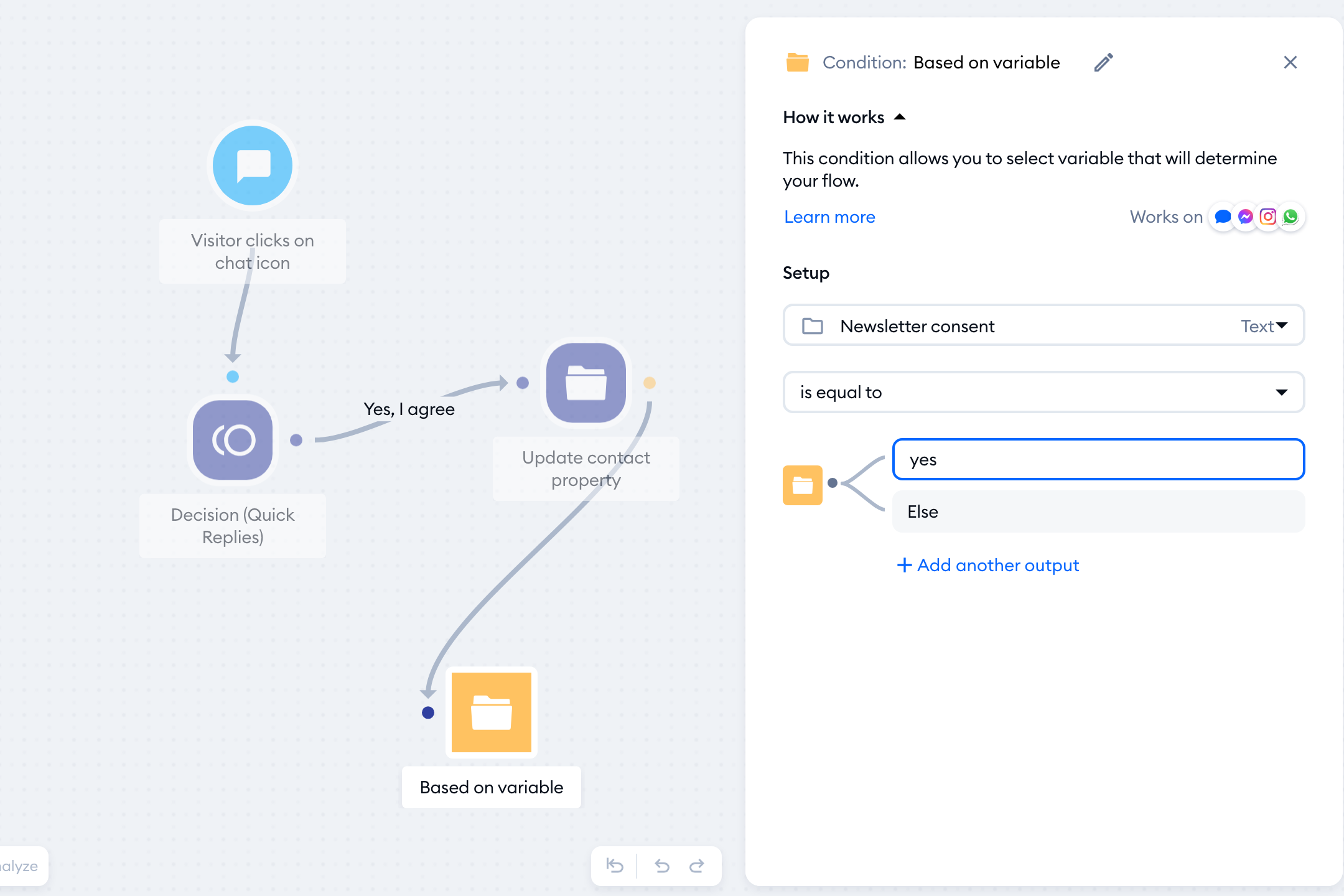
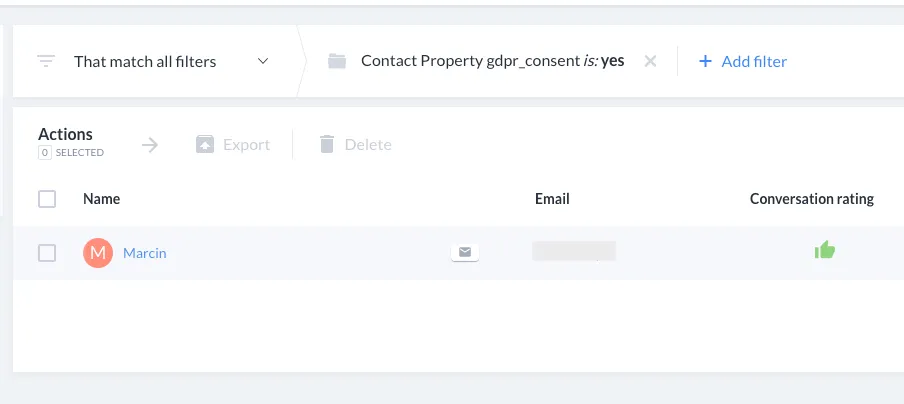
In this example, the workflow will continue only for users who permitted us. Their answers are saved as their contact properties, which you can see in Contacts.
Asking for newsletter consent? Use the Mailing subscriber condition first. It filters your visitors by those who are subscribers and those who are not, so you only ask for consent from those who aren't subscribed yet:
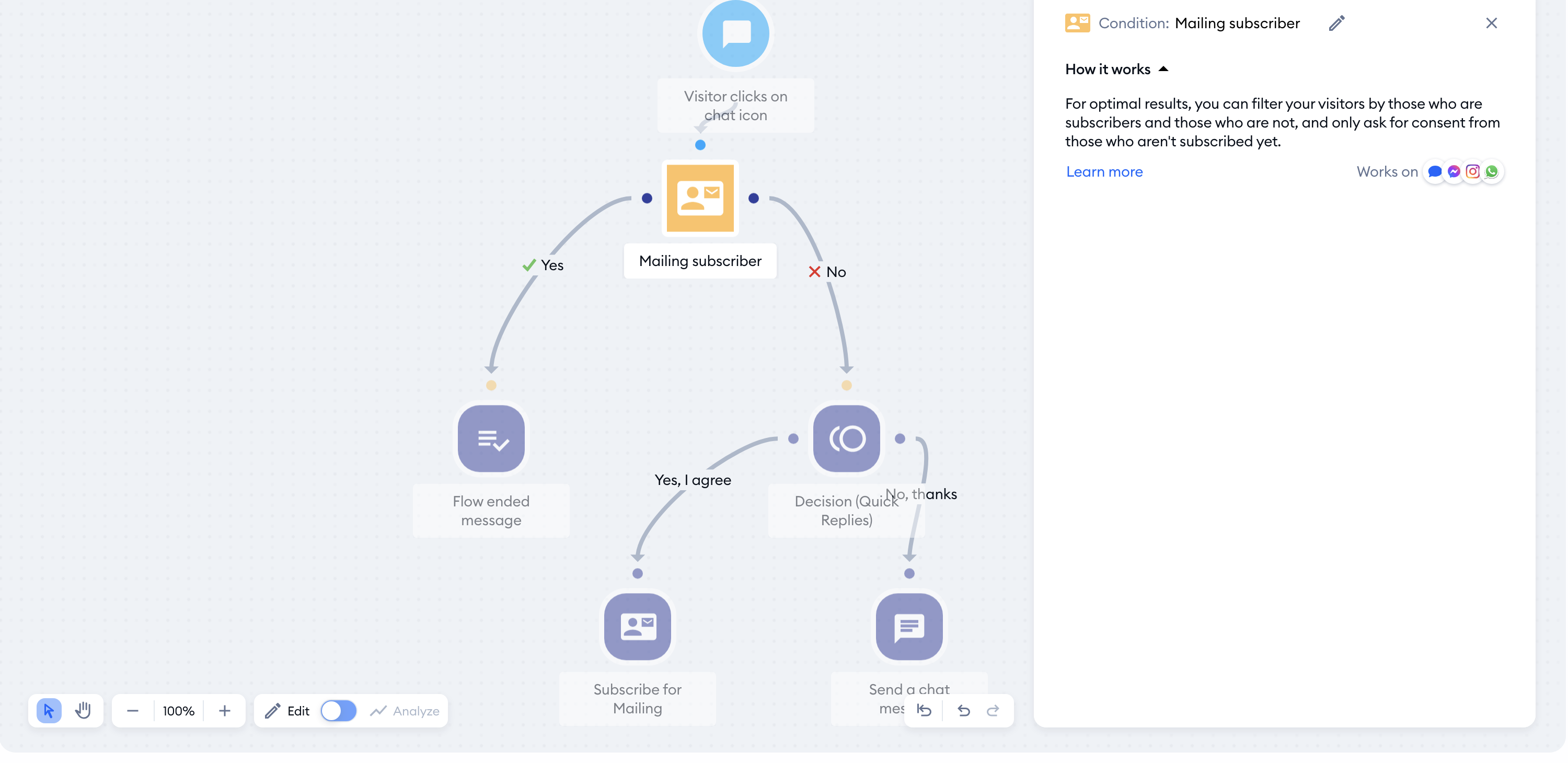
Another option to comply with the GDPR is to use the dedicated GDPR Compliance field in the Pre-chat survey. Head over to Settings > Live Chat > Appearance, open the Pre-chat survey tab in the Content section and turn the survey on with its switch. Then click on Add new and choose GDPR Compliance. You can then edit the consent text, and add a link to your privacy policy:
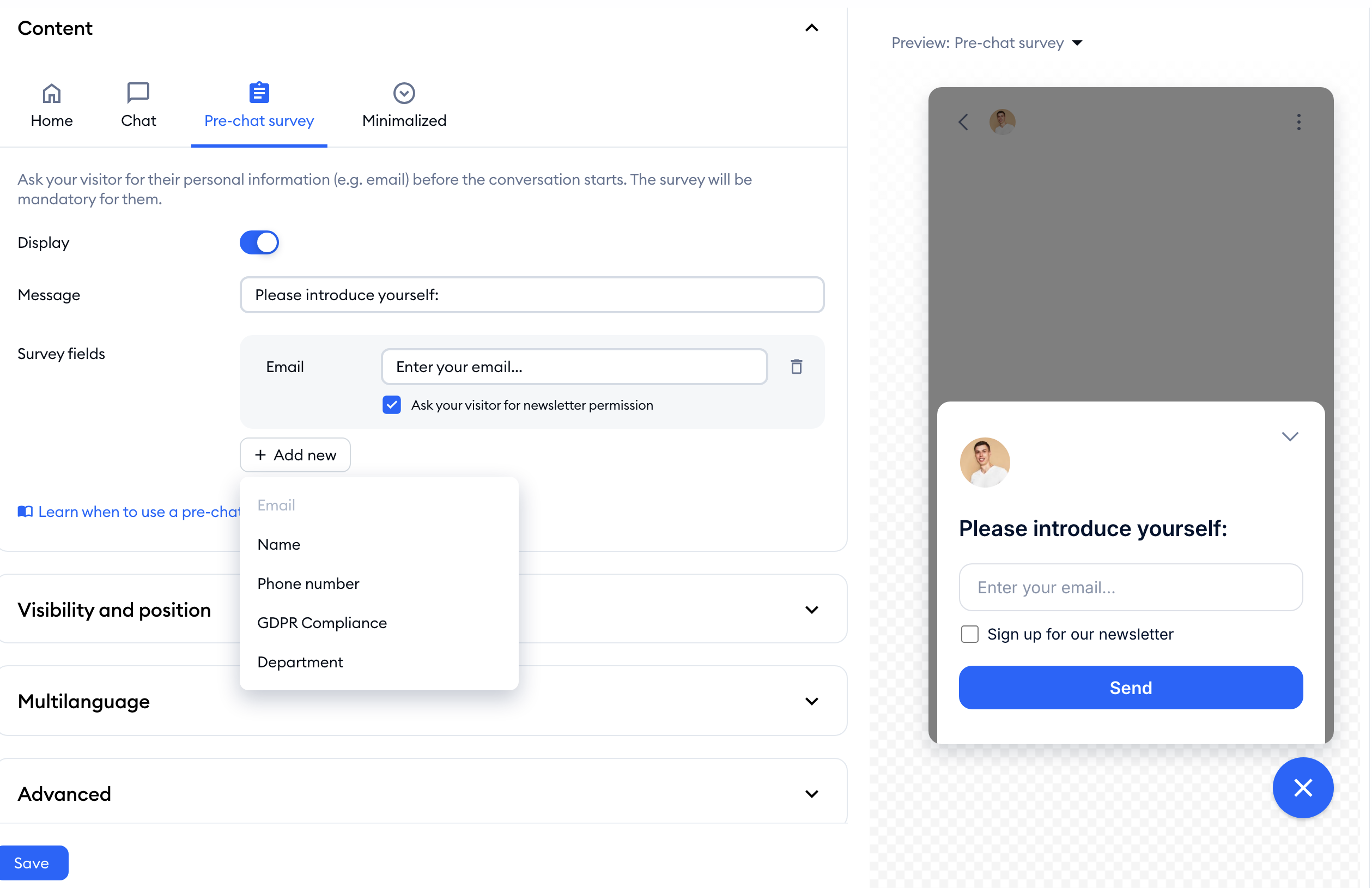
Learn more about it in our Pre-chat Survey article.
The Bot Disclosure and Accountability Act
On July 1, 2019, the state of California has enacted the BOT act to prevent deceptive practices for commercial and political bots. The law states that it's illegal to mislead the other person to incentivize a purchase or sale of goods or vote in an election. However, It's still unclear whether bots such as Tidio Flows providing technical assistance or solely answering technical questions are subject to the BOT Act.
Since the disclosure obligation rests on the person who created the bot/flow, we have prepared the guidelines for complying with the act. The guidelines should be considered by the Tidio users whose bots will interact with another person online in the state of California.
It's important to distinguish between automation and humans
To comply with the act, the person talking to the chatbot needs to be aware the conversation is automated and processed by the chatbot.
- We recommend using a sentence such as "Hi! I'm a bot!" at the beginning of the flow.
- Try not to give your bots a human photo or human name that could mislead the visitor.
We will be monitoring the regulations for further updates.
