Are your articles actually helping? With article feedback, readers of your Help Center can vote whether an article was helpful, and you'll see the result for every article, right next to its number of views.
It's a quick way to spot the articles worth improving - and since Lyro and Copilot can use your articles too, a better article helps everywhere.
In this article, you'll learn:
- How to switch article feedback on or off
- How to see which articles help your readers
- What to read next
Switching article feedback on or off
Head over to the Help Center section, open your Help Center, and go to the Appearance tab. Click on the Article pages card to expand it, and use the Allow article feedback switch ("Let readers vote whether an article was helpful."):
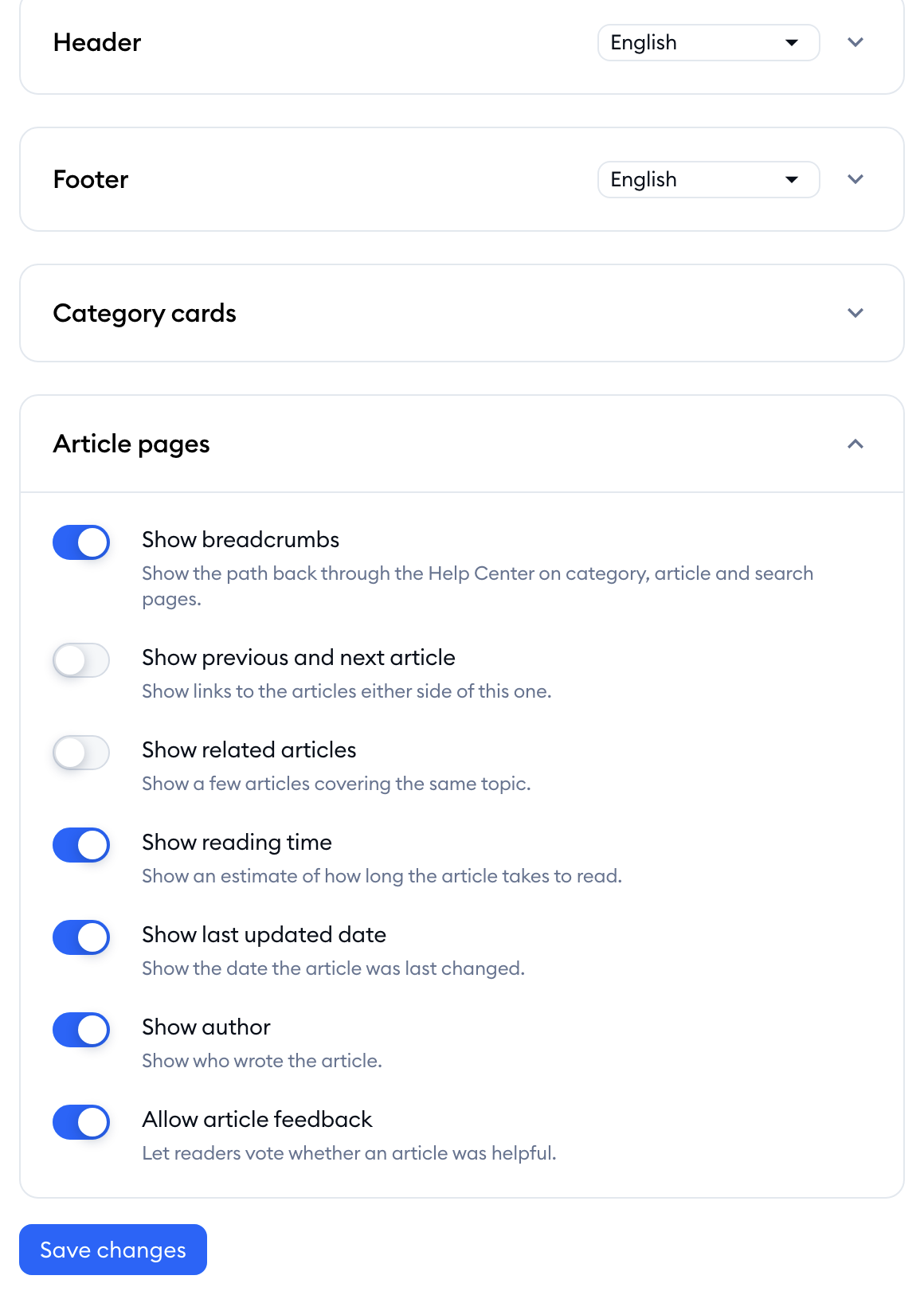
Hit the Save changes button to apply it. The setting covers every article page of this Help Center, in all its languages.
Please note: readers can only vote on the articles they can open - Public articles in a published Help Center. To change the Appearance tab, you need the Help center settings permission.
Seeing which articles help
The results are shown in your article list. Go to the Content tab of your Help Center, and look at the Helpfulness and Views columns:
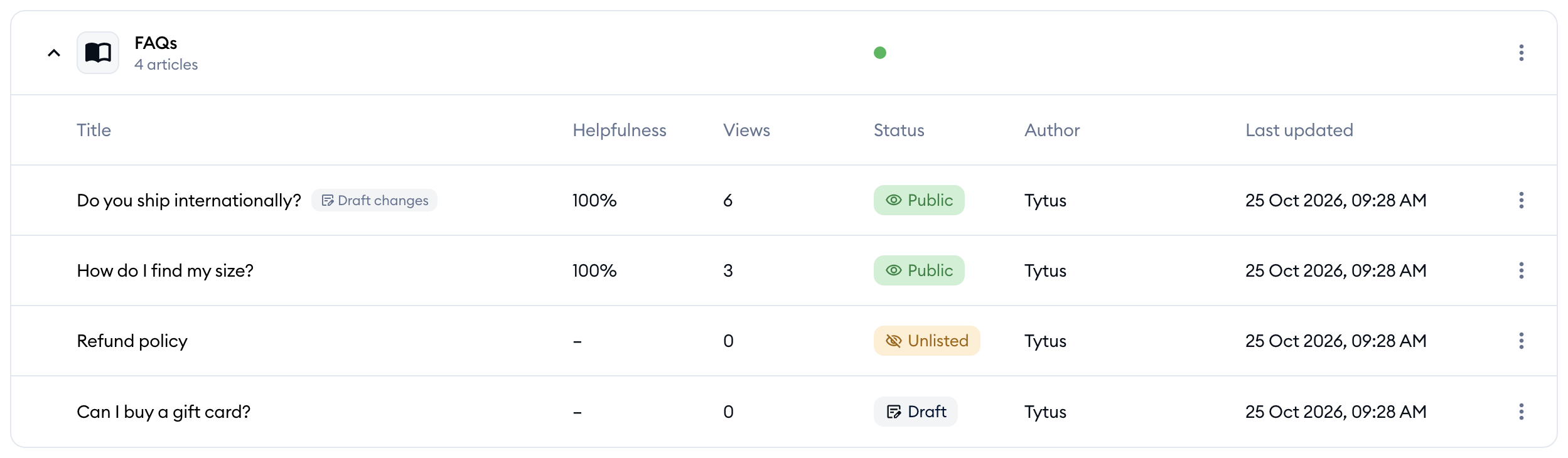
- Helpfulness - the article's score from readers' votes, as a percentage. An article nobody has voted on yet shows a dash.
- Views - how many times the article has been viewed.
Both are counted for each language separately. If your Help Center has several languages, use the language filter next to the search bar to see the results of each language (see Run your Help Center in several languages).
A few ideas on what to do with them:
- A low score on a popular article is your best place to start: many readers are looking for that answer, and it isn't working for them yet.
- Check whether the article answers the question its title promises, and add steps, images or links where readers might get stuck (see Write and format Help Center articles).
- If the article is also used by Lyro or Copilot, improving it improves their answers too (see Use Help Center articles with Lyro and Copilot).
Please note: votes come without comments, and there's no separate report or export of the results - the score and views in the article list are what you get. Also, the Give feedback link you may see in the Help Center section isn't related to article votes: it's a way to tell us, the Tidio team, what you think about the Help Center itself.
Further reading
- Customize your Help Center's appearance - the other options of the Article pages card.
- Write and format Help Center articles
- Use Help Center articles with Lyro and Copilot
