Changing the language of your Tidio admin panel is very easy and requires only a few clicks in your dashboard. Tidio offers six language versions: English, German, French, Spanish, Italian, and Portuguese.
In this article, you'll learn:
Changing the language
To change the language of your Tidio Panel - log in to your Tidio dashboard and click on your avatar in the left bottom corner of the Panel.
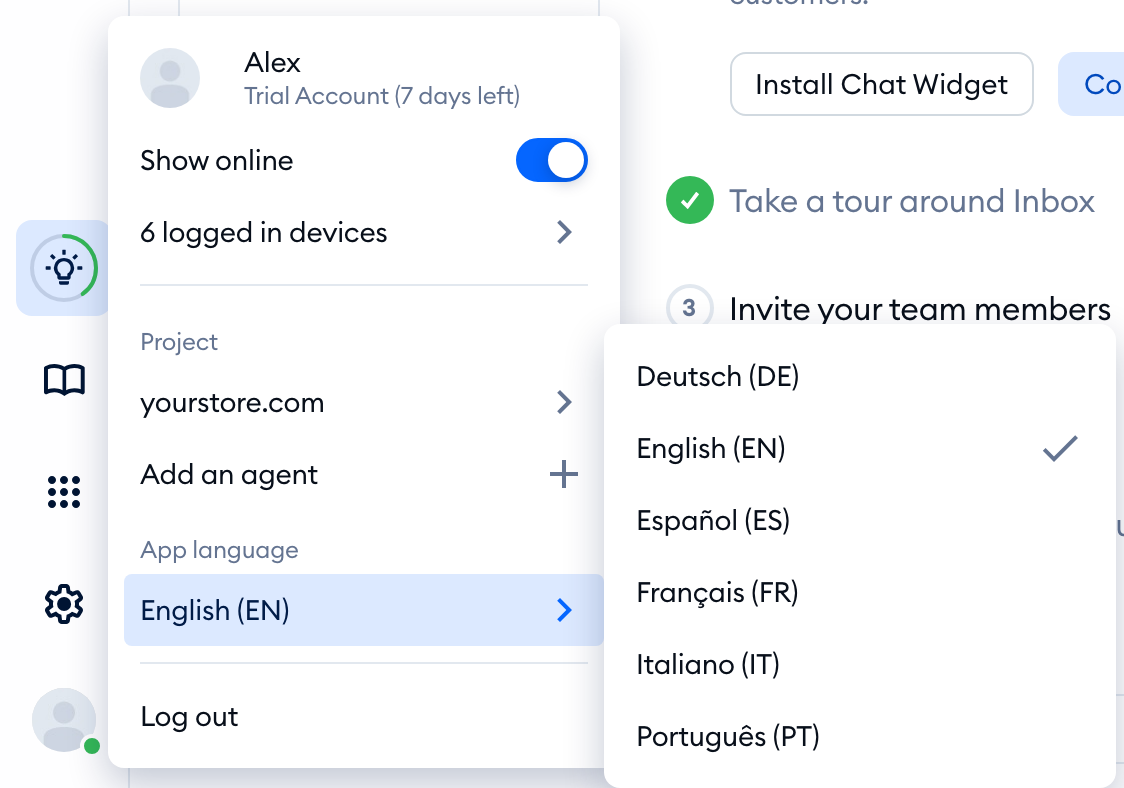
You'll see a sliding window with your current language under App language. Click on the language (in the screenshot case, English (EN)), and a list of available languages will be presented to you. Each language is shown in its own name: Deutsch, English, Español, Français, Italiano and Português.
Once you choose the language - the Tidio panel will reload, and you'll see the Panel translated into the selected language.
Changing the language in your Account settings
You can also change it in Settings > Personal > Account. On the Personal details tab, pick a language from the App language dropdown:
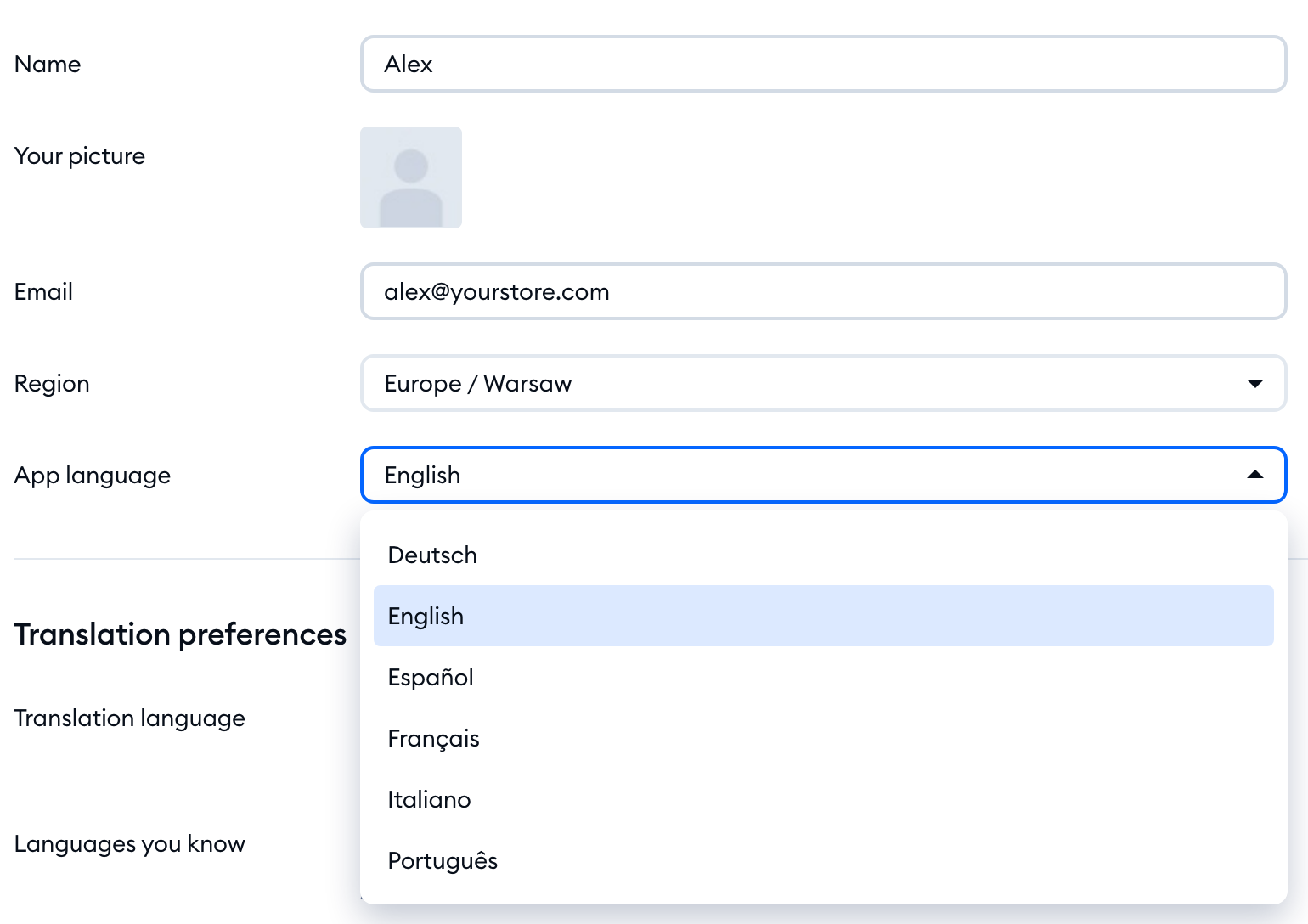
In the Are you sure? window, click on Yes, I'm sure! - the panel will reload in the new language.
A localized version of the Tidio panel will be visible only to the agent who made the changes. Each agent needs to make the changes in their own Tidio Panel. Until you pick a language yourself, the panel follows your browser's language.
The Tidio mobile app comes in the same six languages, and it follows the language of your phone.
This setting will change only the language inside the Tidio admin panel (for agents only). To change the language of your chat widget, visible to your website visitors - take a look at our article on changing the language inside your Tidio chat widget, as well as how to translate your flow's messages into different languages.
