Use the Language condition to send visitors different flow messages based on their browser language. You write each message and connect it to the language it belongs to.
In this article, you'll learn:
- What a multilanguage flow is
- How to add the Language condition to the flow
- How to create a flow for multiple languages
If you want to translate the Tidio widget, check our article on translating your chat widget.
Multilanguage flows
You can create a flow that will send automated messages in more than one language. The flow will detect the visitors' default browser language and base its actions on that. A multilingual flow is another step in interacting with your customers worldwide!
For this website flow, connect the Language condition after the trigger and before the messages that should differ by language. This article will show you how to configure it step by step.
Adding the Language condition
To allow your flow to detect the visitor's language preferences, you need to add the Language condition. You can find it in the Conditions menu on the right in the visual editor.
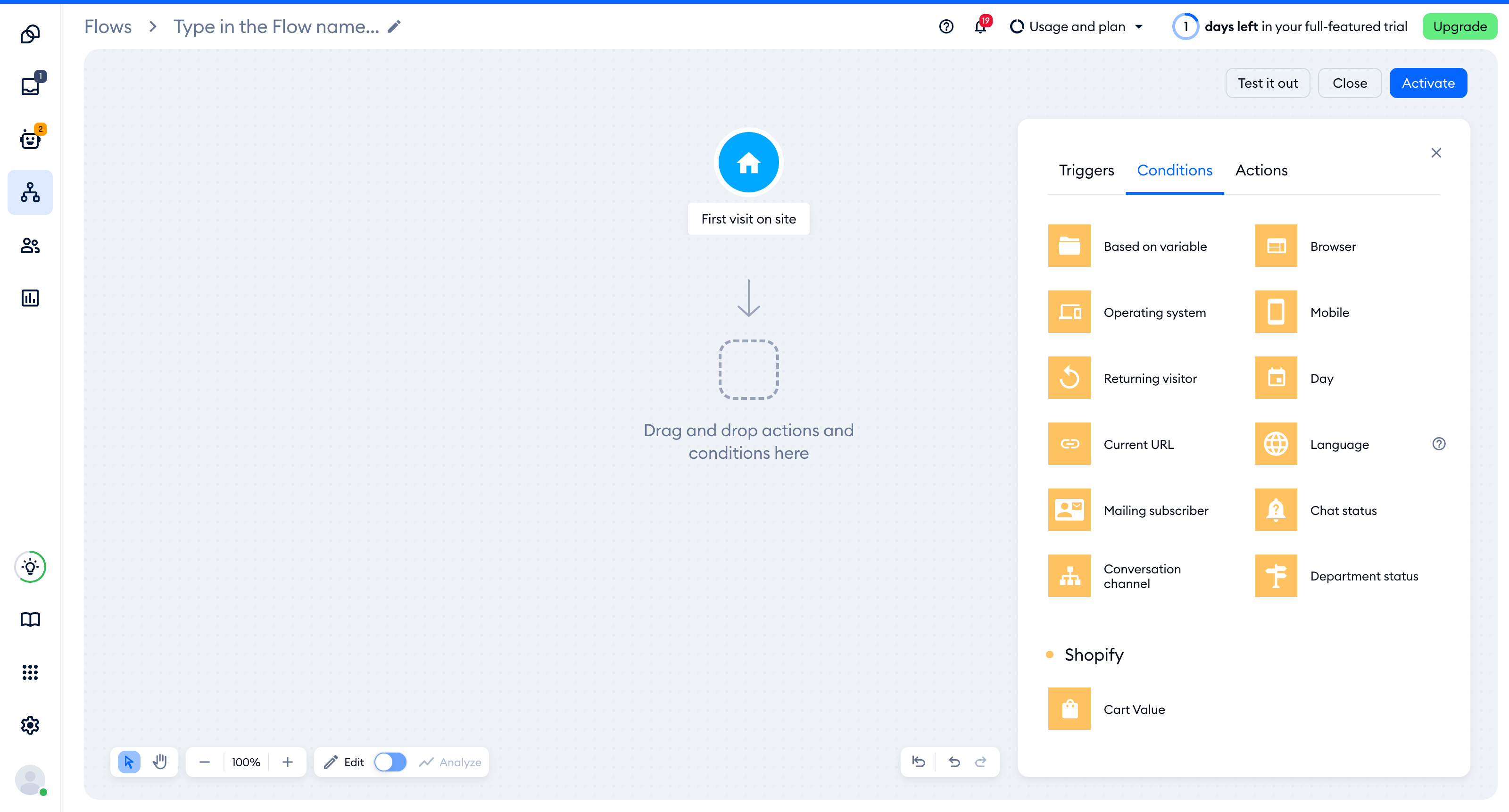
Once the condition is added, it's time to adjust the Language node and connect it to some actions. You can list a single language that you want the flow to work with, or multiple languages - for creating different flows based on the language.
Creating a multilanguage flow
Click on the Language condition, select a language you want the flow to check for, and decide whether the language should be equal or not equal to the language you've chosen from the list.
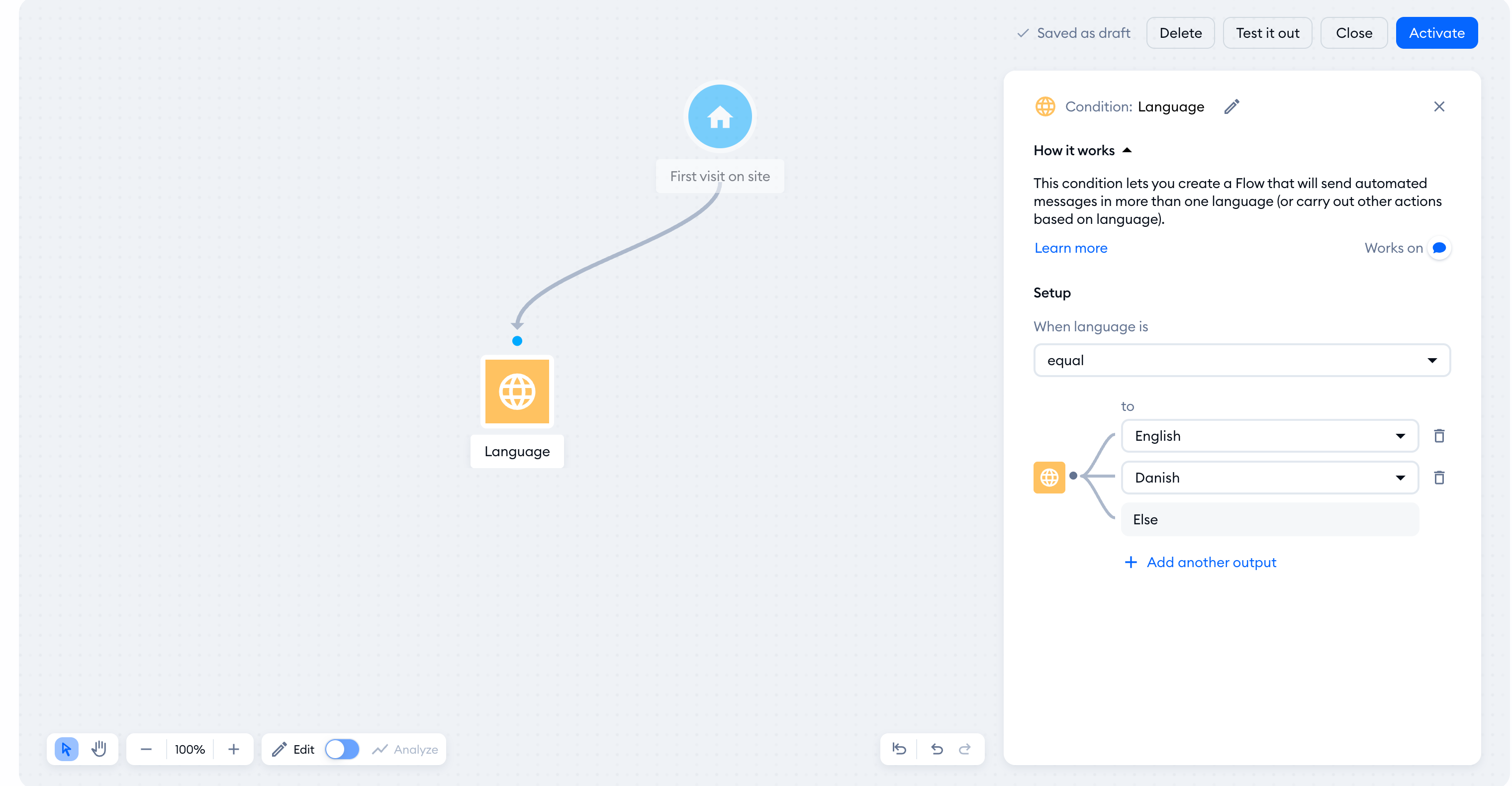
You can connect the condition with further actions now. You can connect those nodes by dragging a connecting line from the condition towards the action you need. Once you do, you will be able to select one of the options (languages) you added earlier to your list:
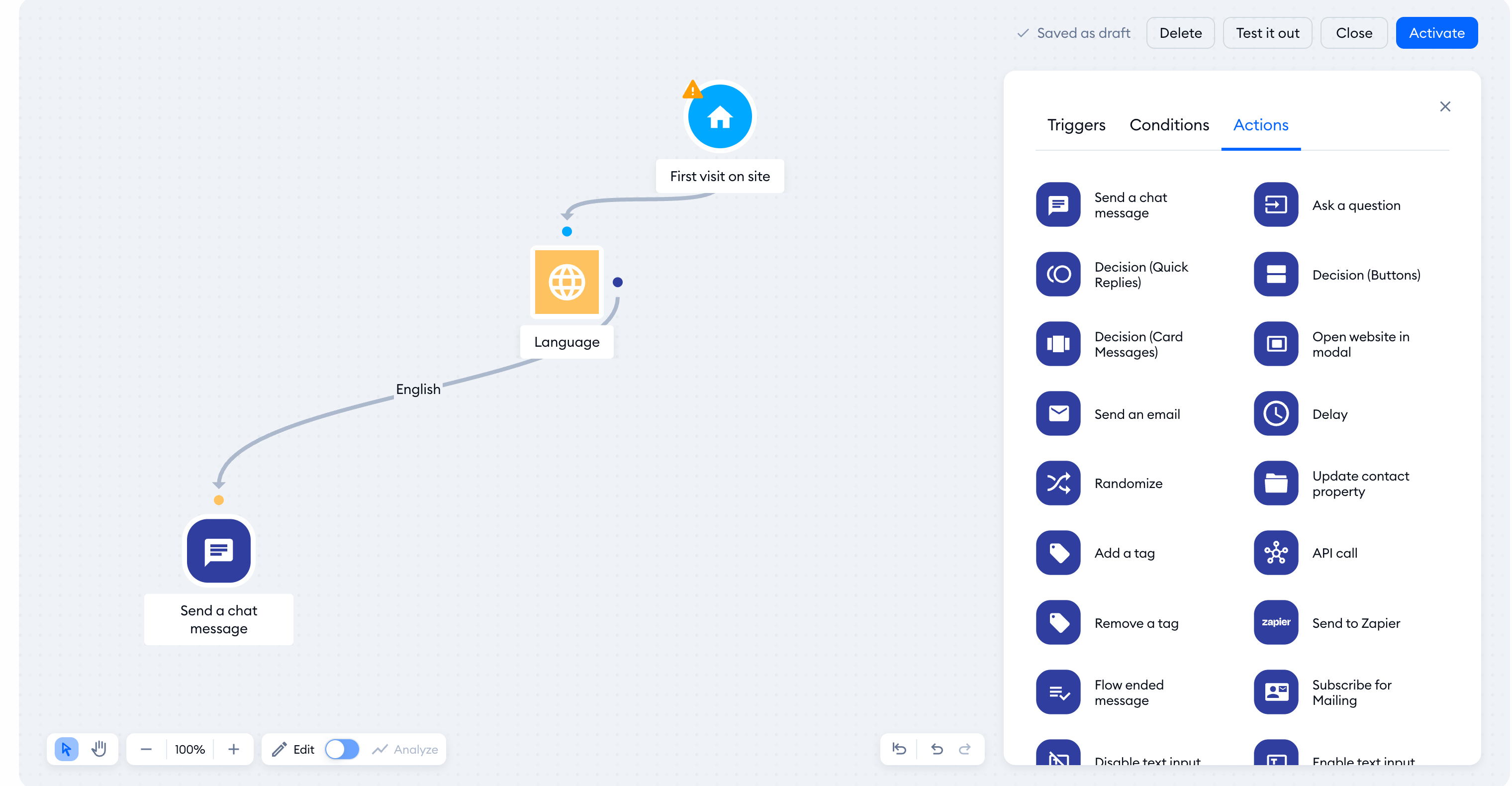
In the example below, the condition checks if the language is equal to either English or Danish. The third connection is Else, used only if none of the first two conditions are met (the visitor's language is neither English nor Danish).
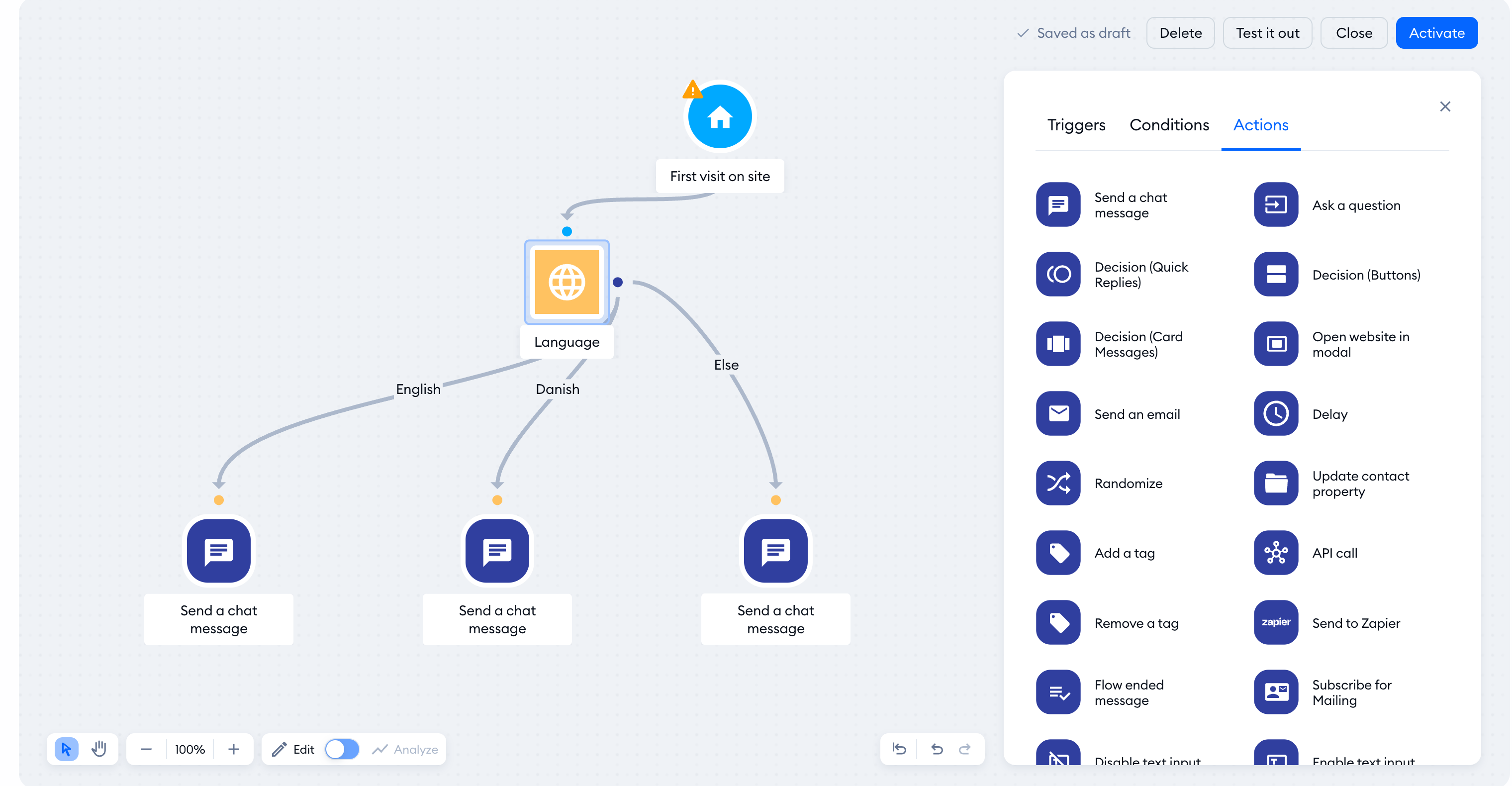
As result, the flow will send a custom English message if the detected language is English, and a Danish message if the language is Danish. A third, different message is sent if the visitor's language is different.
Of course, you're free to use any actions you like to create different flows based on the visitor's browser language, or even make the flow do absolutely nothing when a specific language is detected.
