There are several ways you can track abandoned carts with the help of Tidio. If your store is on Shopify, you won't need to deal with any coding and instead use our ready tracking option from Settings. If your store is built on a different platform, you'll need to add a small script to your store's source code.
In this article, you'll learn:
- How to track an abandoned cart for Shopify users
- How to track an abandoned cart for non-Shopify users
Automated for Shopify Users
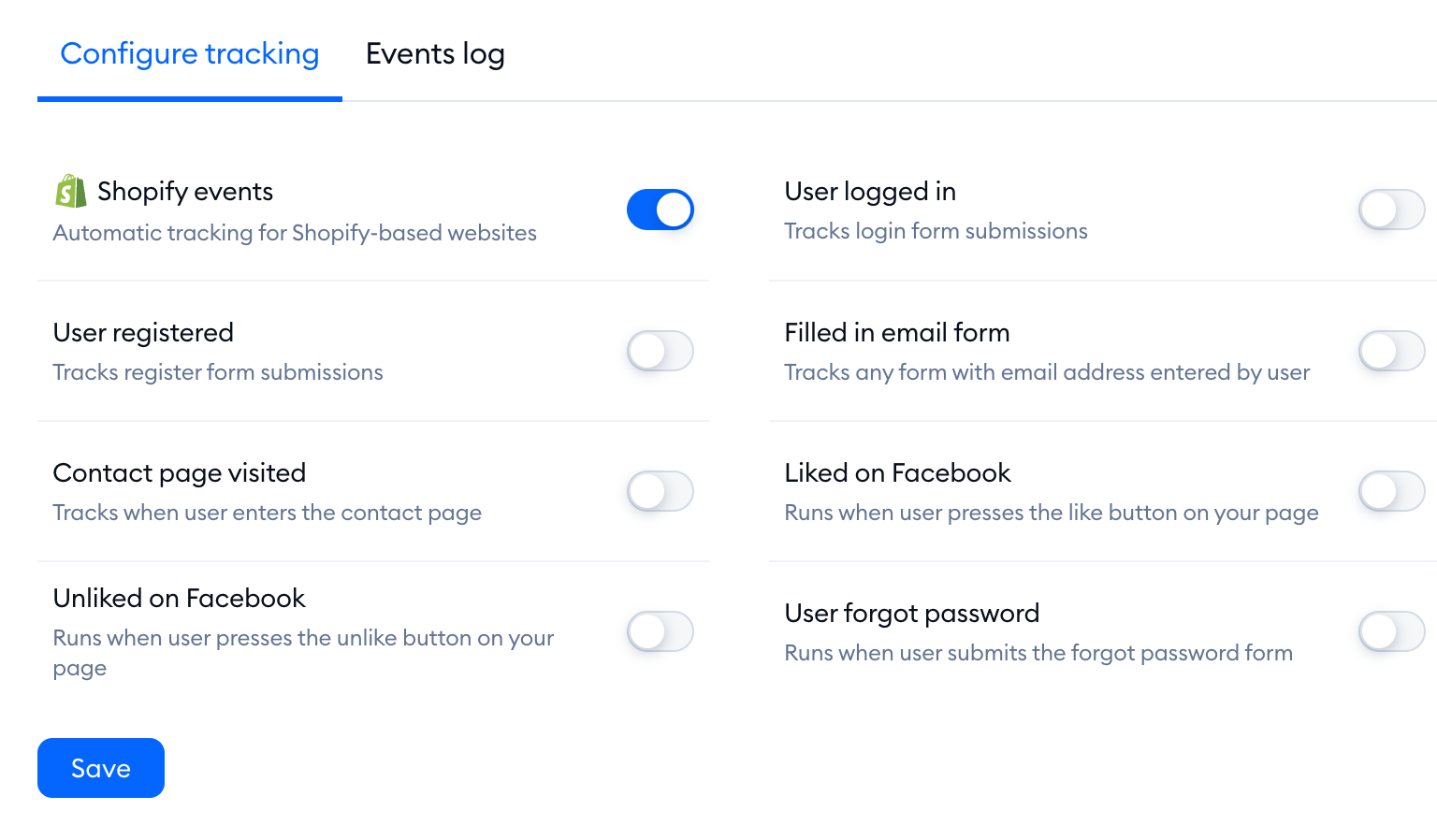
Once tracking is enabled, it will automatically start to trace the cart. To activate it, navigate to Settings > Tracking, and open the Configure tracking tab. Switch on Shopify events (Automatic tracking for Shopify-based websites), and click on Save - your tracking will be enabled!
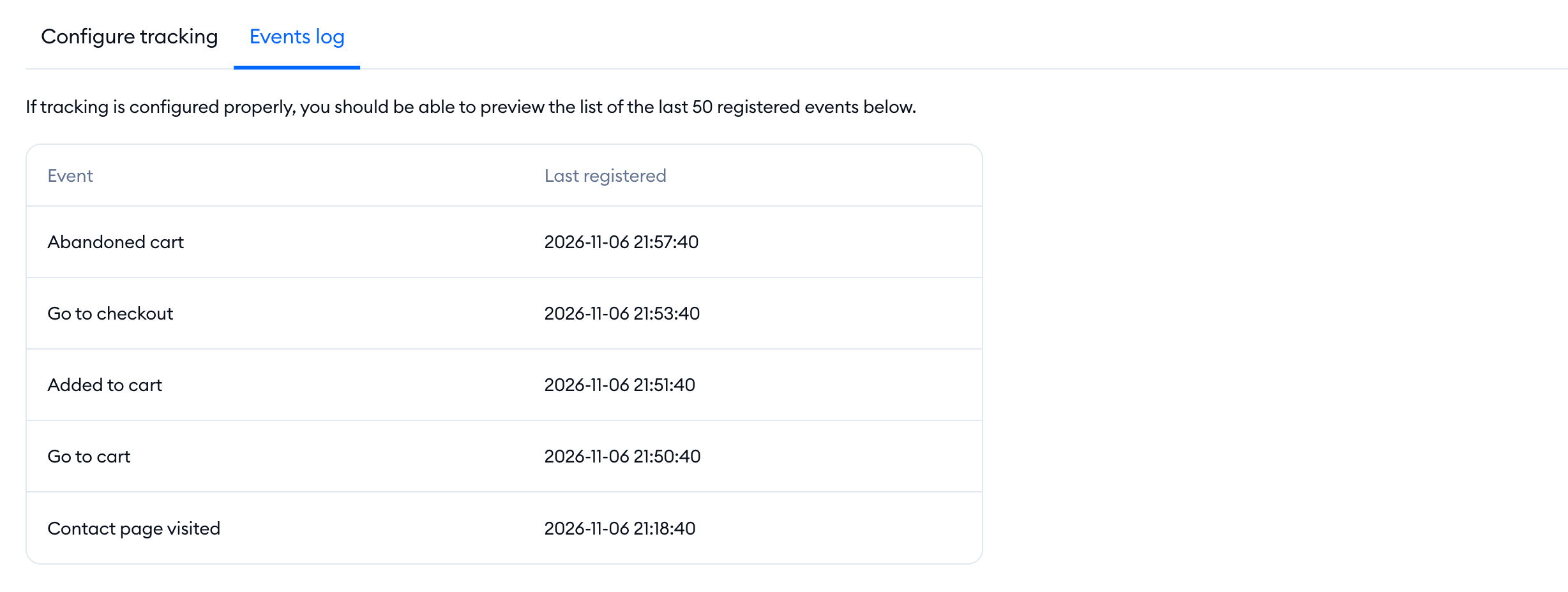
To make sure the tracking works, open the Events log tab next to Configure tracking. It lists the last 50 events registered on your site - once a visitor leaves their cart, you'll see Abandoned cart there, with the time it was last registered.
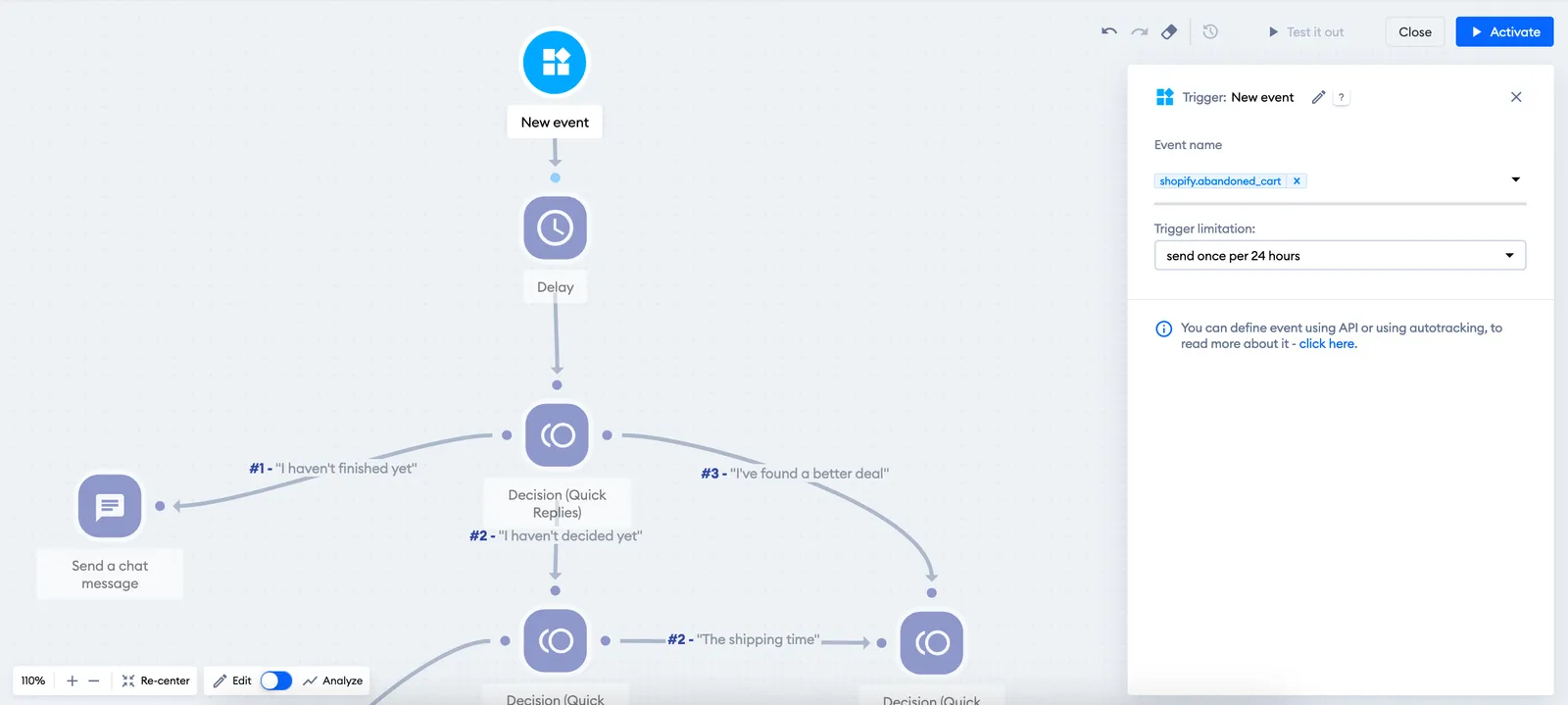
Now, you'll be able to add your abandoned cart flow. To do it, navigate to the Flows section and look for the Cart abandoned flow in the Sales Flows list. You can edit the flow and adjust it to your needs, leaving the New event trigger with the abandoned cart event name.
Non-Shopify Users - Developers Only
This method is an advanced implementation and will be useful for developers only.
The chat needs to know where the cart is on your site and where starts the checkout area. To point out to the app where the visitor proceeds from the cart, you'll need to use this code: list the pages of your checkout (for example, the cart, payment and shipping pages) in checkoutSteps, and the page your customers see after placing an order in checkoutFinished. If a visitor reaches one of the checkout steps but doesn't land on the order-complete page, the script sends the Abandoned Cart event, which you can use with the New event trigger in your flow. The code needs to be added after the chat's installation script.
<script>
  (function() {
    function onTidioChatApiReady() {
      // below is the list which starts the abandoned cart process. If some of the steps will be missed, and the visitor doesn't land on the page given in "checkoutFinished" - abandoned cart will be triggered.
      var checkoutSteps = [
        "http://shop.com/cart", // checkout step 1
        "http://shop.com/payments", // checkout step 2
        "http://shop.com/shipping" // checkout step 3
      ];
      // below is the list which clears the abandon cart process without triggering it
      var checkoutFinished = [
        "http://shop.com/order-complete" // the purchase page
      ];
      // do not modify the code below
      function executeTidioChatApiTrack() {
        tidioChatApi.track("Abandoned Cart");
      }

      function checkUrl(e) {
        var t = "tidioStartUrlVisited",
          i = getCookie(t),
          o = e.replace(/\/$/, "");
        if (-1 < checkoutSteps.indexOf(e) || -1 < checkoutSteps.indexOf(o))
          return setCookie(t, "1", "10"), !0;
        i &&
          1 == +i &&
          -1 === checkoutFinished.indexOf(e) &&
          -1 === checkoutFinished.indexOf(o) &&
          executeTidioChatApiTrack(),
          setCookie(t, "", -1);
      }

      function setCookie(e, t, i) {
        var o = new Date();
        o.setTime(o.getTime() + 24 * i * 60 * 60 * 1e3);
        var n = "expires=" + o.toUTCString();
        document.cookie = e + "=" + t + ";" + n + ";path=/";
      }

      function getCookie(e) {
        for (
          var t = e + "=",
            i = decodeURIComponent(document.cookie).split(";"),
            o = 0; o < i.length; o += 1
        ) {
          for (var n = i[o];
            " " == n.charAt(0);) n = n.substring(1);
          if (0 == n.indexOf(t)) return n.substring(t.length, n.length);
        }
        return "";
      }
      var i, o;
      checkUrl(document.location.href),
        (i = window.history),
        (o = i.pushState),
        (i.pushState = function(e) {
          "function" == typeof i.onpushstate && i.onpushstate({
            state: e
          });
          var t = o.apply(i, arguments);
          return checkUrl(document.location.href), t;
        });
    }
    if (window.tidioChatApi) {
      window.tidioChatApi.on("ready", onTidioChatApiReady);
    } else {
      document.addEventListener("tidioChat-ready", onTidioChatApiReady);
    }
  })();
</script>
Further reading
- Flows dedicated for Shopify
- Flow editor: Triggers
- Coupon Code (flow action)
- Create a custom filter to send a flow message just once
