The Transfer to agent message is a message that is automatically sent when a flow transfers the conversation to a live agent in specific situations.
In this article, you'll learn:
What is the "Transfer to agent" message?
The Transfer to agent message can be triggered in specific chat transfer situations. It is disabled by default; if enabled, however, the conversation will be transferred to a human agent if the right conditions are met.
Please note: the Transfer to agent message is not sent when your flow uses the Assign to an agent action.
Inside every Decision (Quick Replies, Buttons, Card Messages) action, you can enable the Transfer to agent message separately:
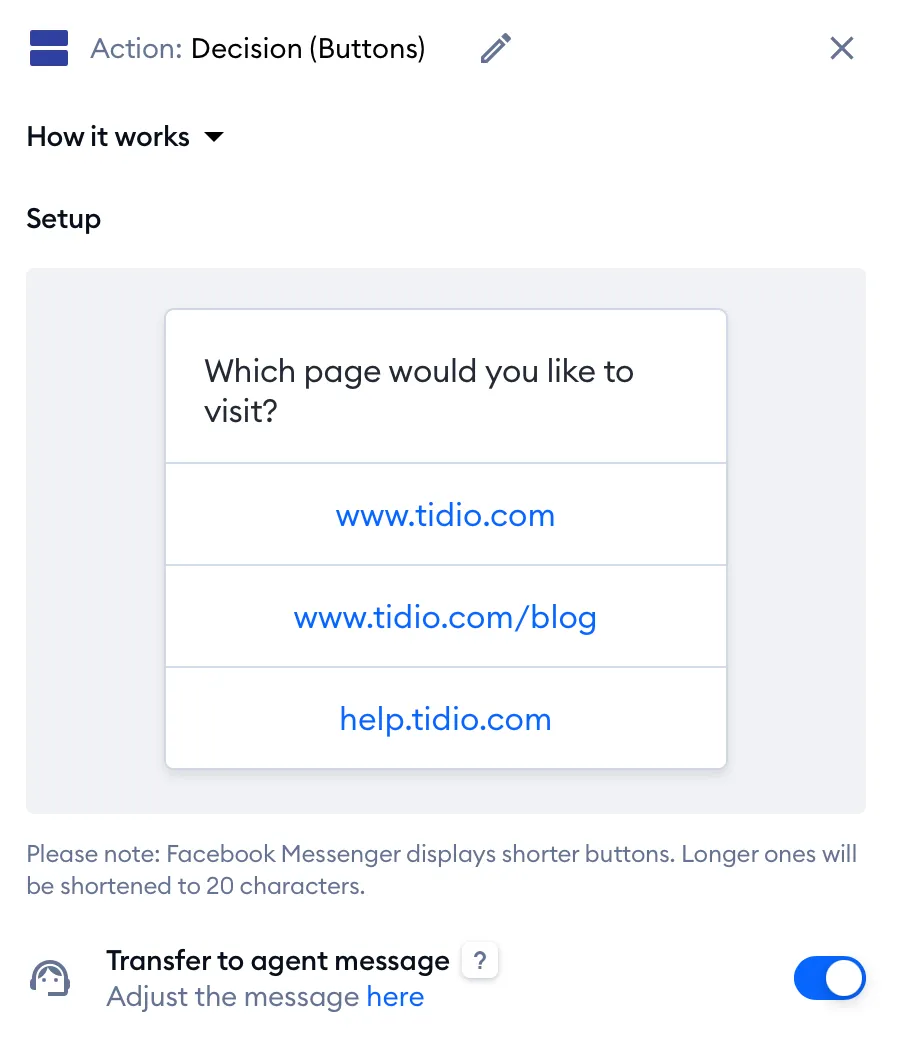
The same Transfer to agent message switch is also available in these places:
- the Send a form, Open website in modal and Recommend products actions,
- the Flow ended message action,
- the Welcome message of the Flows launcher (Flows > Flows launcher), below the Flow buttons.
Not sure what it does? Hover over the question mark next to Transfer to agent message for a quick reminder:
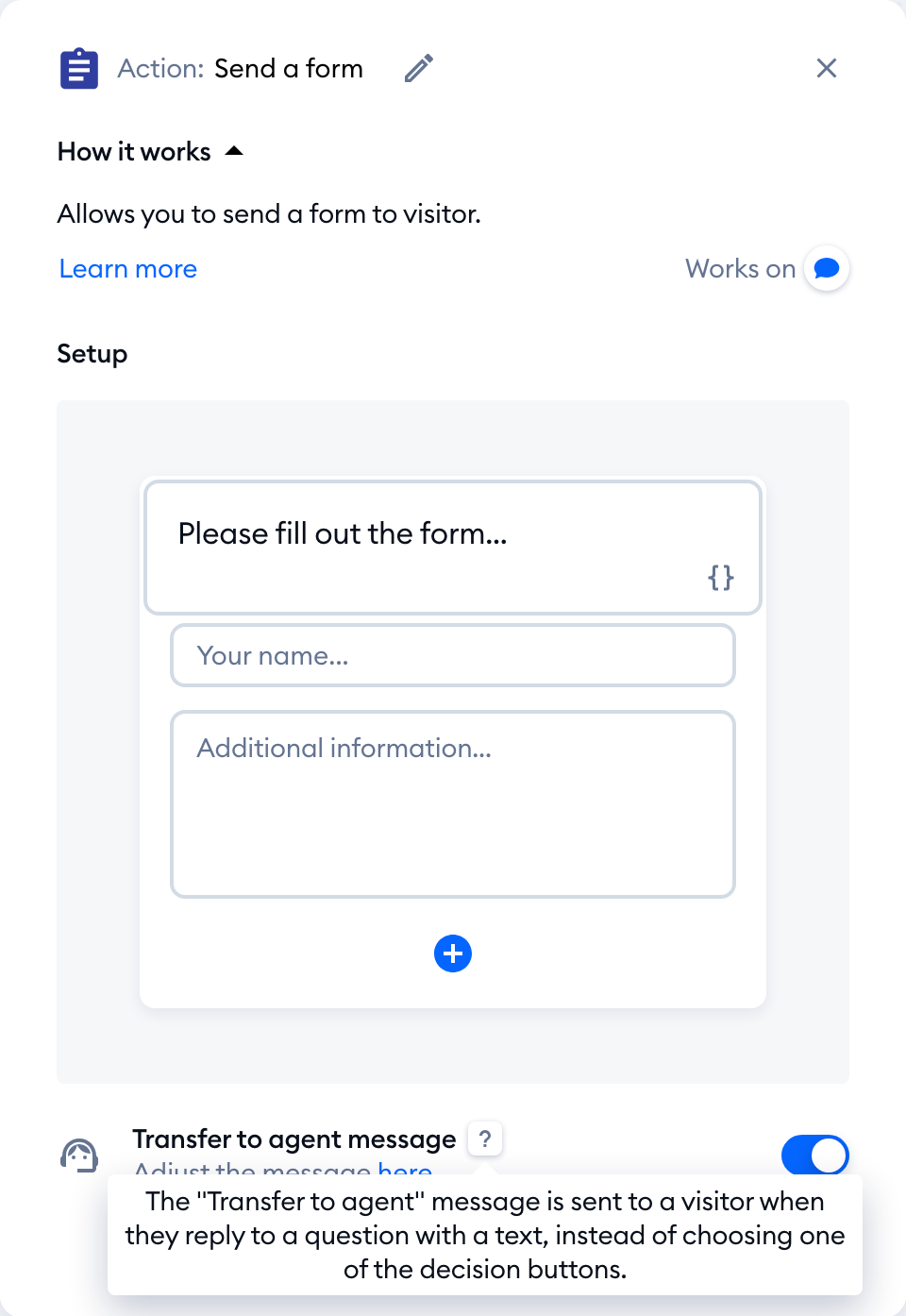
When the visitor answers the flow's question by typing instead of clicking on the flow's buttons - that effectively interrupts the flow. The Transfer to agent message will appear and the conversation will be transferred to your agents. This helps you ensure that no important conversations or questions are missed.
Edit the "Transfer to agent" message
You can edit the message from any of the places listed above. Turn on the Transfer to agent message switch at the bottom, and click on the here link in Adjust the message here:

This will take you to the Adjust transfer to agent message window. Note that there are different messages for both the online and offline status: Transfer to agent message (online) and Transfer to agent message (offline). There's no save button here - your change is saved as soon as you click outside the field. If your plan includes Multilanguage and your widget speaks several languages, you'll see a tab for each of them, so you can adjust the message in every language:
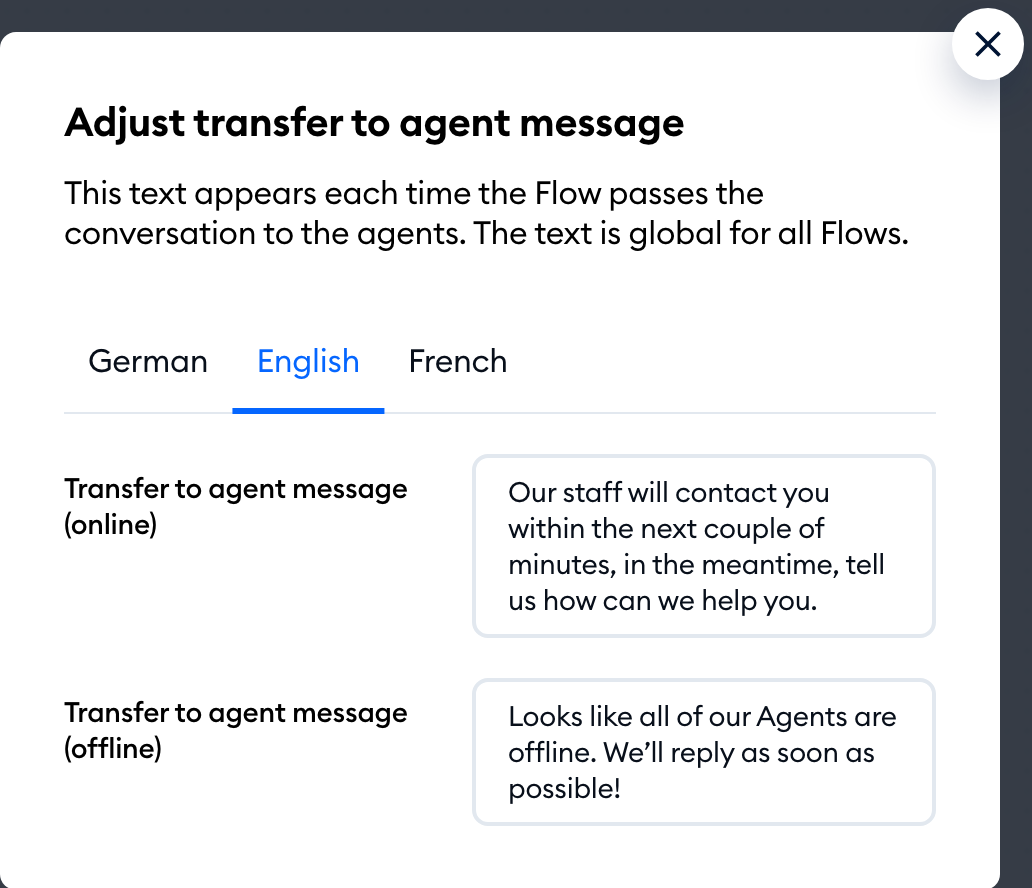
The text of the Transfer to agent message is global for all the flows. When you edit the message inside the action - the same message will appear in other actions (and in the Flows launcher) that have the Transfer to agent message enabled.
