When you write messages in Tidio, the text input area has spell-checking switched on, so you can notice spelling errors or mistakes before your customer does. Tidio uses the spell-checker built into your browser: when it detects some possibly incorrect spelling in your message, it will underline the particular word (or words), usually using red dots:
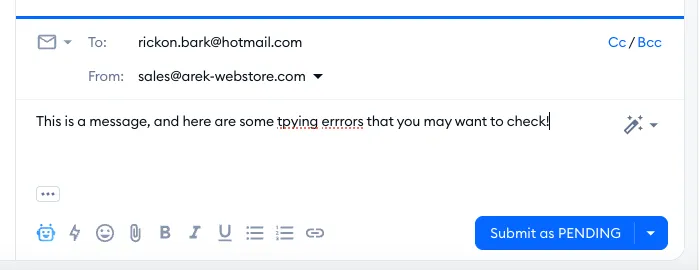
This spell-checker is active at all times inside your Tidio panel, when writing messages (e.g. responses to incoming chats or tickets, internal notes, or Macros) as an agent. Since it's your browser's spell-checker, the languages it checks and the corrections it suggests depend on your browser's language and spelling settings - if correct words in another language are underlined, add that language in your browser's settings.
It is not used in the Tidio widget itself, i.e. where your visitors interact with the chat installed on your website; you may see a spell-checking function there too, of course, but that would be a feature of your browser or operating system.
Please note: the spell-checker can only work in the Tidio browser app at the moment; the desktop app is not currently supported. In the Tidio mobile app, your phone's keyboard checks your spelling as you type (if spell-check and autocorrect are switched on in your keyboard settings).
Want to go beyond spelling? Type your message, click on AI Writing Tools in the bottom-left of the text input area, and choose Rewrite - AI will rephrase your message, which is handy when you're writing in a hurry and worried about typos. Learn more in AI Tools (the reply assistant).
