See how to install Tidio on your Shopware store.
In this article, you'll learn:
Install Tidio to your Shopware store
To install Tidio on your Shopware store, log in to your Tidio account and head over to your Tidio admin panel. Once you are there, copy the manual installation code from Settings > Live Chat > Installation:
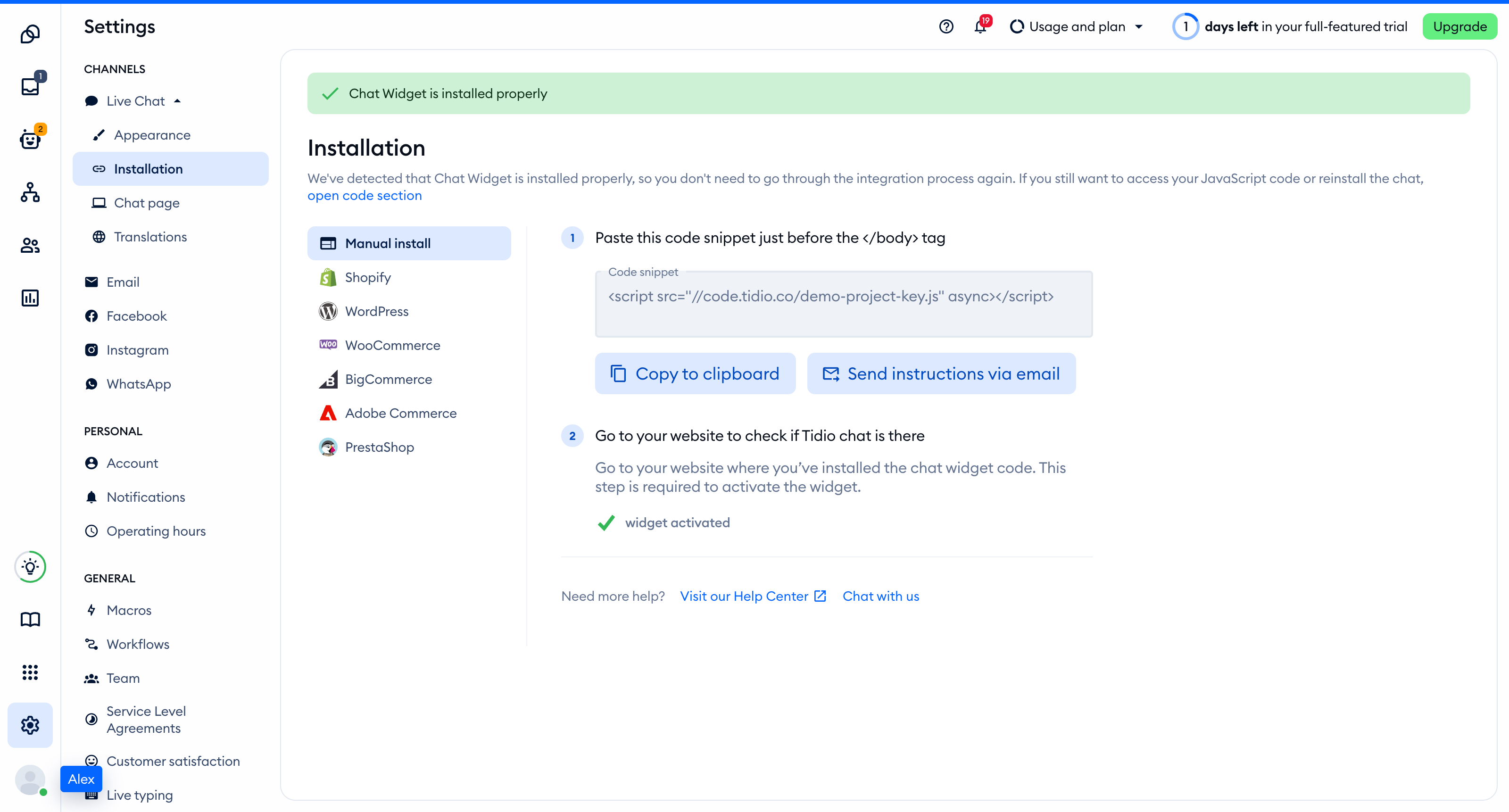
Now, add this code as a script tag by following this official Shopware article.
This developer procedure requires a Shopware 6 instance, a running plugin, access to its files, and knowledge of template extensions. Keep the parent block content when extending a template. The Tidio snippet loads an external script; you do not need to upload it as a custom asset.
Congrats! You've successfully installed Tidio on your website!
