This article will help you set the widget to appear only on specific pages of your website. This option is useful for users who have access to their website's code and want to have full control over where the widget is displayed.
In this article, you'll learn:
How to display widget on specific pages
The script checks the URL when the page loads. Once the widget is ready, it shows it on matching URLs and hides it on other URLs. It does not prevent the widget script from loading, and it does not recheck the URL after navigation without a full page reload.
Let's see an example:
We added URL: http://mystore.com/products/black/ to the code. In that scenario, the widget will be shown on all the URLs that contain this phrase.
The widget will not show up on:
- http://mystore.com/
- http://mystore.com/contact/
- http://mystore.com/products/
However, it will show up on:
- http://mystore.com/products/black/
- http://mystore.com/products/black/powerbank/
Code
To implement this option, follow these steps:
- Place the custom script after your Tidio installation code, before
</body>. If a plugin already installs Tidio, add only the second script below; do not add the installation script again. -
Copy and paste the code below or find the code on our Codepen page.
- If you are adding the installation script too, replace its example key
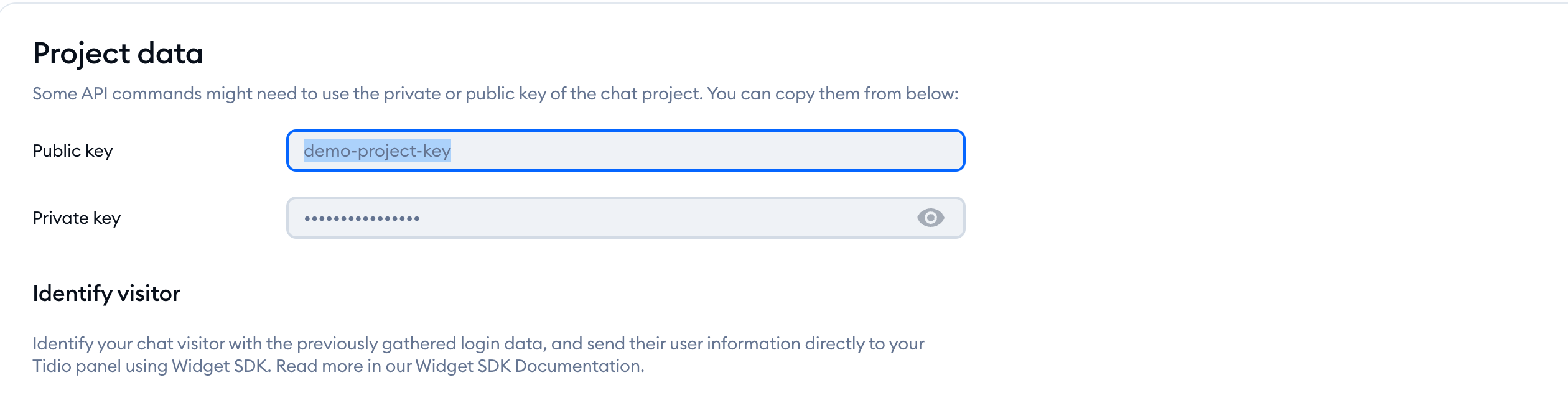
fouwfr0cnygz4sj8kttyv0cz1rpaayvawith your project's Public key. You can find your Public key here after logging into your project.
In Settings > Developer > Project data, select the Public key field and copy its value:
Replace the sample address in whitelistedUrls with your own page address. Add more addresses as separate quoted entries, separated by commas. The script checks whether the current URL contains each entry as plain text; do not add wildcard characters.
If you have more questions, please contact our Support team at support@tidio.net
<script async src="//code.tidio.co/fouwfr0cnygz4sj8kttyv0cz1rpaayva.js"></script>
<script>
(function() {

// modify whitelisted urls here
var whitelistedUrls = [
'http://tidio.com',
];
// do not modify script after this line


var shouldShowWidget = (function isCurrentUrlWhitelisted() {
var currentUrl = window.location.href;
var isWhitelisted = false;
whitelistedUrls.forEach(url => {
if (currentUrl.indexOf(url) > -1) {
isWhitelisted = true;
}
})
return isWhitelisted;
})();

function onTidioChatApiReady() {
if (shouldShowWidget) {
window.tidioChatApi.show();
}
else {
window.tidioChatApi.hide();
}
}
if (window.tidioChatApi) {
window.tidioChatApi.on('ready', onTidioChatApiReady)
}
else {
document.addEventListener('tidioChat-ready', onTidioChatApiReady);
}
})();
</script>