See how to create a loop in your flow. It can return the visitor to an earlier action.
In this article, you'll learn:
Create a loop in your flow
If you have a flow (an FAQ flow, for example - for more information, see our article on how to create one) that you'd like to run again every time an action is finished - you can create a loop that will return the visitor to an earlier decision.
You can create a loop directly on your flow's editing map.
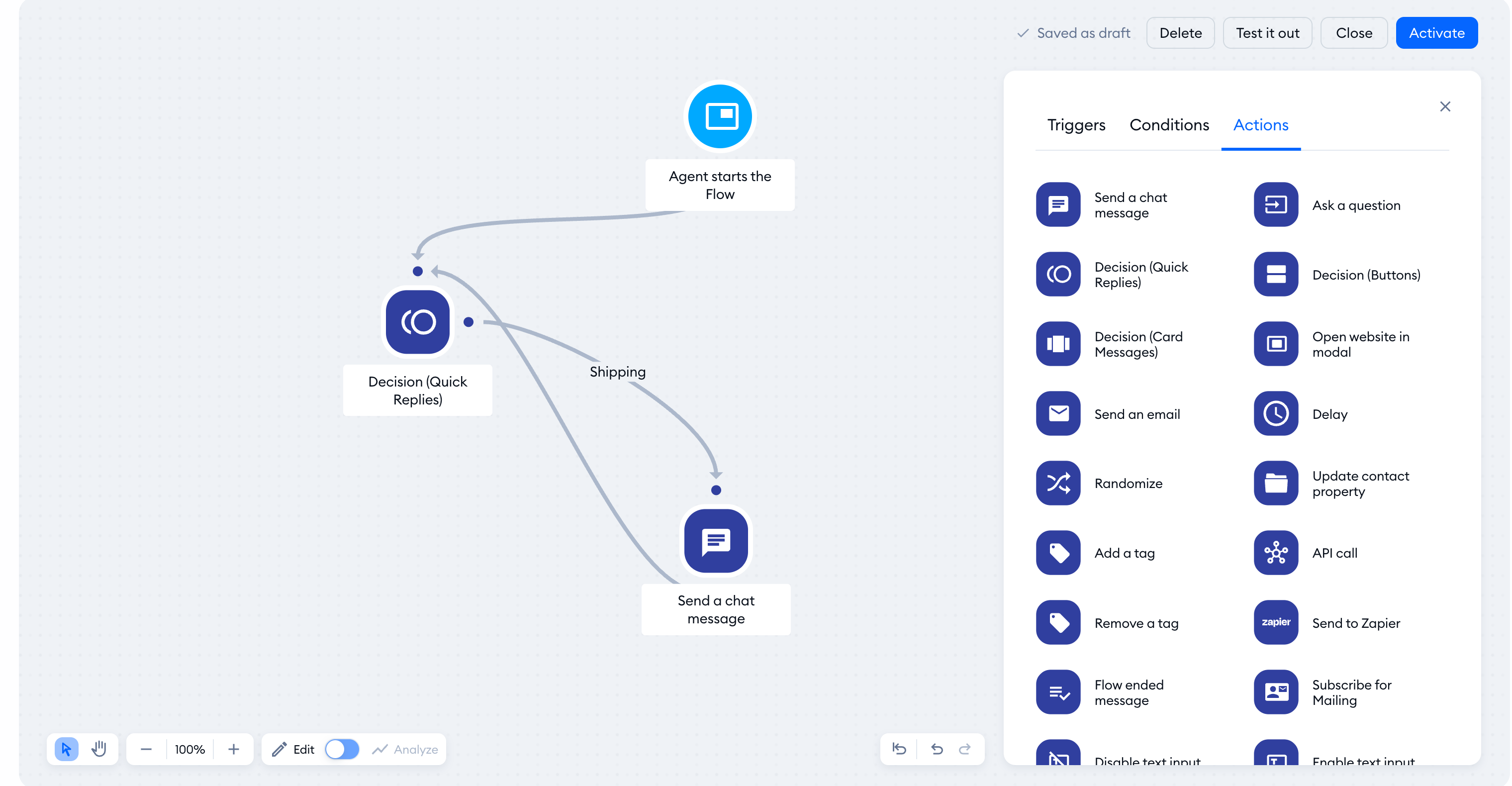
To do that, choose an action - a point from which you'd like to create a loop. Then drag a connection line from that action to an earlier Decision (Quick Replies) action. (It can also be a different action, such as the Send a chat message one but the loop must include an interactive action, such as Decision (Quick Replies) or Ask a question). That way, the user will be able to go back to an earlier step in the decision-making, and perhaps choose a different path.
If the editor warns that the connection will cause an infinite loop, connect to a different node. Keep a decision in the loop so your visitor can choose their next step. Save your changes with Activate.
